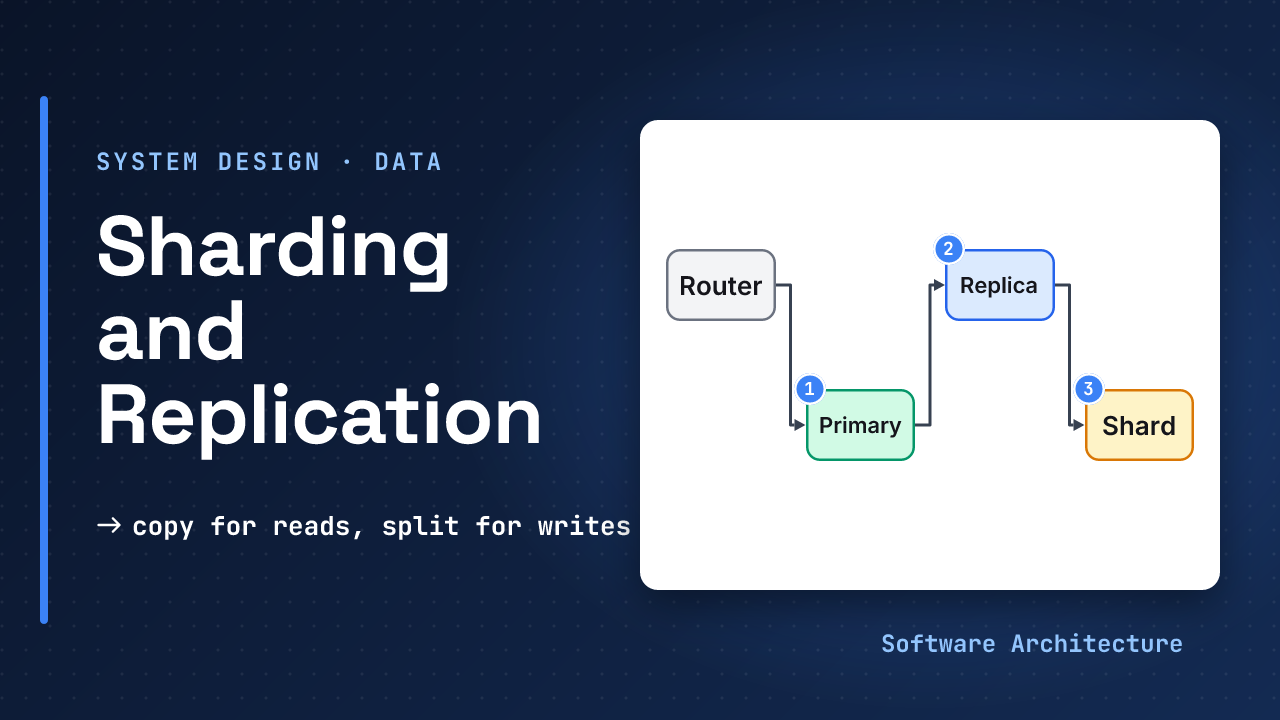
Eleven minutes into the round, the interviewer says: “The database CPU is at its limit and reads are slow. What do you do?” The candidate says “shard it” and the room waits. How many shards? Split by what? What happens to a query that touches two of them? There is no answer yet, because nobody asked whether sharding was the right tool.
Replication and sharding are the two ways to spread a database over more than one machine. They solve different problems, and picking the wrong one is the most common mistake in the data part of a system design round. This lesson gives you a way to choose, and the arithmetic to defend it.
- Back-of-envelope estimation, because the choice depends on numbers.
- SQL vs NoSQL and the CAP theorem, for the consistency trade-offs below.
During a network partition, a system must choose between staying consistent and staying available. Replicas are exactly where that choice shows up: a replica that cannot reach the primary must either refuse reads or serve old data.
- Replication copies the same data to more servers. It scales reads and survives a crash.
- Sharding splits the data across servers. It scales writes and total size, and it costs you joins, transactions and simple queries.
- Asynchronous replication is fast but can lose recent writes on failover and serve stale reads.
- A shard key must spread load evenly and appear in most queries. A bad one makes one shard do all the work.
- Replicate first, shard last. Do the arithmetic before you say “shard”.
Decide in a minute whether a design needs replicas, shards or neither, pick and defend a shard key, and explain what goes wrong with replication lag and with adding a shard.
Two Problems, Two Tools#
A database can run out of room in two ways. It can be asked to read too much, or it can be asked to write too much or hold too much data. The fix is different for each.
A popular book has a long waiting list, so the library buys more copies. That is replication: the same book, in several places. A different library has too many books for one building, so it puts A to M in one building and N to Z in another. That is sharding: different books, in different places.
Most real systems use both. Each shard is itself replicated, so the failure of one machine loses nothing and the whole thing still handles more data than one machine could.
Replication: More Copies#
The usual setup has one primary that accepts writes and one or more replicas that copy its changes. Reads can go to any copy. If the primary fails, a replica takes over. That takeover is called failover.
PostgreSQL’s documentation calls a standby that accepts queries a hot standby: it serves read-only queries while following the primary. Add replicas and spread the reads.
Synchronous or asynchronous?#
The trade-off is when the primary tells the client “done”. The same documentation describes both.
- Synchronous: a transaction is not committed until all the servers involved have committed it. This guarantees that a failover will not lose data and that every server returns consistent results.
- Asynchronous: there is some delay between a commit and its arrival on the other servers. Some transactions might be lost in the switch to a backup, and replicas might return slightly stale results. It is used when synchronous would be too slow.
The documentation also notes a trade-off in speed: a fully synchronous solution over a slow network might cut performance by more than half, while an asynchronous one might have minimal impact. So the choice is durability against speed, and it is the same shape as the choice in the CAP lesson.
The stale read that surprises users#
A user saves a paste and the page immediately reloads to show it. The read goes to a replica that is 200 milliseconds behind the primary. What does the user see?
They see “paste not found”, or the old version, even though the save succeeded. The delay between a write on the primary and its arrival on a replica is called replication lag. Under asynchronous replication it is never exactly zero.
There are two common fixes, and an interviewer likes to hear both:
- Read your own writes from the primary. For a short window after a user writes, send that user’s reads to the primary.
- Wait for the replica. Remember the position of the user’s write, and read from a replica only once it has reached that position.
The first is simpler. The second keeps more load off the primary.
Sharding: Split the Data#
When one primary cannot take the writes, or the data no longer fits on one machine, copies do not help. Every replica still has to hold and apply everything. You split the data instead. Each piece is a shard.
The decision that matters is the shard key: the field whose value decides which shard a row lives on. Three common ways to use it:
| Method | How it works | Trade-off |
|---|---|---|
| Hash | hash the key, map to a shard | even spread, bad for ranges |
| Range | split by ranges of the key | good for ranges, hot ranges |
| Lookup table | a directory maps keys to shards | flexible, a new dependency |
For the URL shortener, hashing the short code spreads links evenly, and the main query (“what is the long URL for this code?”) touches exactly one shard.
What a good key looks like#
- Even spread. A key with many distinct values, hashed. A timestamp as the key puts every new write on the newest shard, and a country code puts most traffic on a few countries. One overloaded shard is called a hot spot.
- Present in most queries. If a query does not include the shard key, it must ask every shard and combine the answers.
- Rarely changes. Changing a row’s key means moving the row between servers.
What sharding costs you#
Everything you took for granted on one machine gets harder:
- Joins across shards become application code or slow network calls.
- Transactions across shards need a coordination protocol. Many designs avoid them.
- Unique constraints only hold inside one shard unless you build something extra.
- Operations multiply: more servers to back up, monitor and upgrade.
Redis Cluster shows one way to limit the pain. Its specification splits the key space into 16384 slots, maps each key with CRC16(key) mod 16384, and has each master node handle a subset of slots. Its documentation says complex multi-key operations such as set unions are implemented only when all the keys hash to the same slot, which is the cost of not joining across shards.
Why “hash mod N servers” breaks when you grow#
The tempting design is shard = hash(key) mod N, where N is the number of servers. It works until you add a server. Change N and the answer changes for most keys.
3 servers -> 4 servers
key k stays if k%3 == k%4
keys 0..11: 0, 1, 2 stay
3 of 12 stay, so 75% move
The general rule, from N to N+1 servers, is that N out of every N+1 keys move.
Moving three quarters of your data to add one server is a very expensive outage or a very long migration. The ideal is that only the new server’s fair share moves. Redis gets there by moving whole slots, not by recomputing a modulo over servers. The next lesson, on consistent hashing, shows the general technique.
Partitioning Is Not Sharding#
The two words get mixed up, and an interviewer may test you on it. PostgreSQL’s table partitioning splits what is logically one large table into smaller physical pieces, and dropping an old partition is far faster than a bulk delete. All of that happens inside one database server.
| Partitioning | Sharding | |
|---|---|---|
| Where the pieces live | one server | different servers |
| What it helps | upkeep, speed of one big table | write load and total size |
| Cost | low | high: joins, transactions, operations |
Partitioning is a good step before sharding. It keeps one big table manageable without adding a distributed system.
Replicate First, Shard Last#
Sharding is the most expensive tool in this lesson, so use it last. A sensible order:
Now apply it to the URL shortener. Assume the estimates from that lesson: call it 120 writes a second and 12,000 reads a second at peak, and about 3 TB of data, or 9 TB with three copies. Walk through them:
- The reads are far larger than the writes, so replicas and a cache are the answer.
- The writes are a small load for one primary. Check your own database’s limits, but nothing here asks for a split.
- The data is large but can fit on one well-sized machine. The extra terabytes are the copies, which live on different machines anyway.
The numbers say: one primary, a few replicas, a cache. No sharding. Saying that, with the arithmetic, is a stronger answer than drawing three shards.
Sharding becomes the right answer when the arithmetic changes: sustained writes beyond what one primary handles, or data beyond what one machine stores. Then you shard, and you replicate each shard.
- Saying “shard it” before doing any arithmetic.
- Sharding by a key that most queries do not include.
- Using
hash mod Nwith a fixed plan to add servers later. - Treating replicas as a backup. A replica copies mistakes too, so a bad delete reaches it within moments.
- Reading from a replica right after a write, with no plan for lag.
Try It: Pastebin#
Use these figures from the estimation lesson: peak writes of about 30 a second, peak reads of about 300 a second, paste bodies in object storage, and metadata of about 73 GB a year. Decide:
- How much metadata do you hold after five years?
- Do you need read replicas? Why?
- Do you need shards? Why or why not?
- What would change your mind?
Hint
Multiply the yearly figure by five first. Then compare reads and writes with what one primary and one cache could plausibly handle.
One reasonable answer
Metadata: 73 GB x 5
  ≈ 365 GB over 5 years
Reads: 300 /s at peak
  -> a cache + 1-2 replicas
Writes: 30 /s at peak
  -> one primary is enough
Shards: not needed
365 GB fits on one machine, and 30 writes a second is small. Use one primary with one or two replicas for failover and read load, plus a cache for popular pastes. Revisit if writes grow by a hundred times, or if storing the bodies in the database rather than object storage makes the data too large for one machine.
When the interviewer says “the database is the bottleneck”, walk the ladder out loud: “First I would check indexes and add a cache, then read replicas if reads dominate, then partition the big table, and only shard if writes or size outgrow one server.” Then do the arithmetic for their system. The order shows judgment.
Check Yourself#
1.A service has 5,000 reads and 50 writes a second, and 400 GB of data. Replicas, shards, or neither?
Replicas and a cache. Reads dominate, writes are small, and 400 GB fits on one machine. Sharding would add cost for no gain.
2.A team shards by country code, and 60% of traffic comes from two countries. What goes wrong, and what would you try?
Two shards become hot spots while the others sit idle. Use a hash of a high-variety key, such as the user or item ID, so traffic spreads evenly.
3.You grow from 4 to 5 servers using hash mod N. What fraction of keys move?
N out of N+1, so 4 of every 5 keys, or 80%. Fixed slots or consistent hashing would move only about 20%.
4.After a user saves a profile, the next page shows the old one. What is happening and how do you fix it?
Replication lag: the read went to a replica that has not received the write yet. Send that user’s reads to the primary for a short time after a write, or read from a replica only after it has caught up to that write.
Close the tab and draw the two-panel picture from memory: copies on top, splits below. Then say aloud which one fixes slow reads and which one fixes too much data. Do it again tomorrow without looking.
In One Picture#
Replicas  same data, more copies
  scale reads, survive a crash
Shards    different data, split
  scale writes and size
Order     cache > replicas >
  partition > shard
Key       even, in most queries
Copy for reads, split for writes, and do the arithmetic before you split.
- The consistency side: CAP theorem explained covers what replicas must give up during a partition.
- Where the numbers come from: back-of-envelope estimation and the URL shortener use these figures end to end.
- Why reads usually need a cache first: caching strategies.
Next in the course: consistent hashing, which fixes the key-movement problem.