Most developers I talk to in 2026 have heard of AI agents but still have one nagging question: what actually makes something an “agent” rather than just a chatbot with extra steps? It took me a while to land on an answer I was happy with, and it comes down to one word — autonomy.
A chatbot waits for your next message. An AI agent decides what to do next on its own. It observes its environment, makes a plan, calls the tools it needs, checks the result, and loops until the job is done — all without you holding its hand through each step.
In this guide I’ll break down exactly how that works under the hood, show you a real example, compare agents to simpler LLM pipelines, and give you an honest take on when agents are the right tool and when they are overkill.
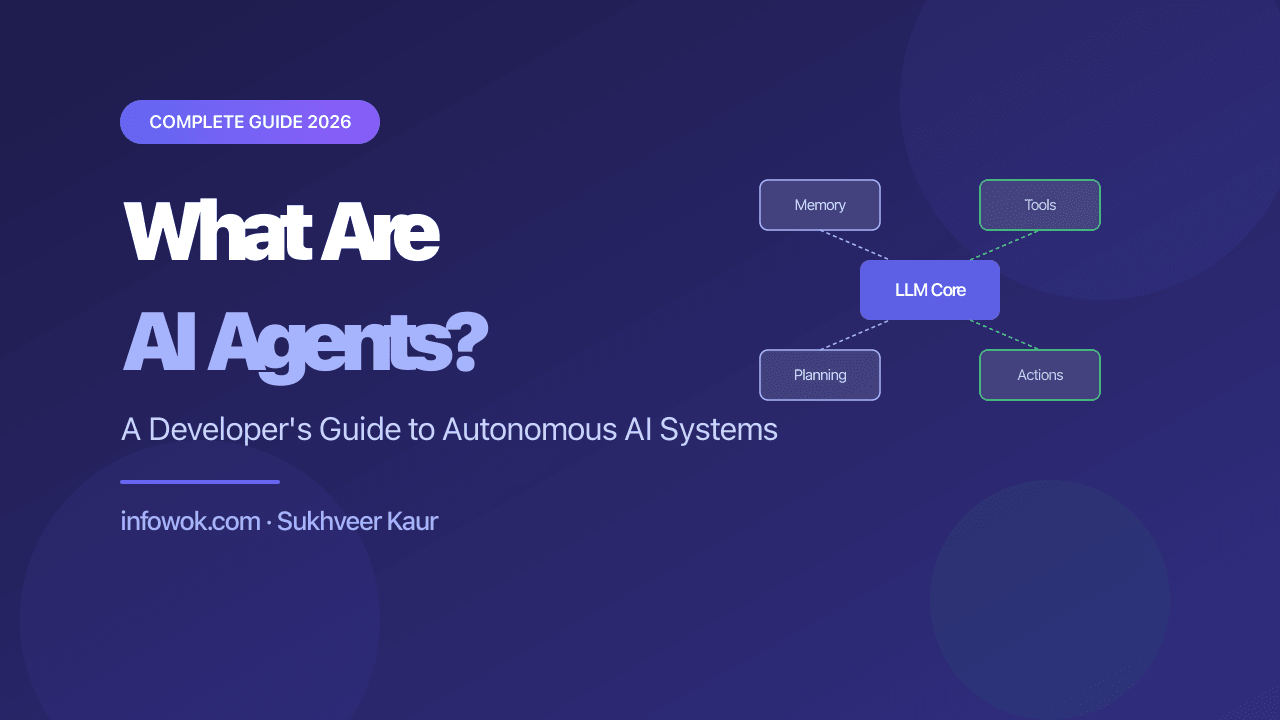
- An AI agent is an LLM plus four things: memory, planning, tool access, and a feedback loop. Autonomy is what separates it from a chatbot.
- The mechanic is a loop — Observe → Plan → Act — repeated until the goal is met or a stopping condition fires.
- The model never touches your infrastructure. It only emits a structured request to call a tool; your code executes it, so you control the blast radius.
- Reach for an agent only when the task is open-ended. For a fixed, known sequence of steps, prompt chaining is cheaper, faster, and easier to debug.
The Problem Agents Solve#
Before agents existed, working with an LLM meant a single round-trip: you send a prompt, you get a response, you copy something from it, paste it somewhere else, and do it again. Every step required a human in the loop.
This was fine for writing assistance. It fell apart for anything involving more than two or three steps — research tasks, multi-file code refactors, or anything where the next step depends on what the previous step returned.
The core problem: LLMs alone cannot take actions in the world, remember context across sessions, or plan and revise multi-step work.
Agents solve this by wrapping the LLM with four capabilities: memory, planning, tool access, and a feedback loop. The diagram below shows how they fit together.
Think of the LLM as an engine — powerful but stationary. The agent framework is the chassis, wheels, and steering that actually gets it moving.
How It Actually Works#
The mechanics of an AI agent boil down to a loop called Observe → Plan → Act, repeated until the task is complete or a stopping condition is met.
Here is what each phase does:
Observe — the agent reads the current state of the world. This might be a user’s instruction, the output of the last tool call, a file it just read, or a web search result.
Plan — the LLM reasons over what it has observed and decides what to do next. In practice this is the model generating an internal “thought” — the pattern formalised in the ReAct paper (Reasoning + Acting) and exposed today through OpenAI’s function calling and frameworks like LangGraph.
Act — the agent executes a tool call. Tools are just functions the agent is allowed to invoke:
tools = [
    {
        "name": "web_search",
        "description": "Search the web for current information",
        "parameters": {"query": {"type": "string"}}
    },
    {
        "name": "read_file",
        "description": "Read contents of a local file",
        "parameters": {"path": {"type": "string"}}
    },
    {
        "name": "write_file",
        "description": "Write content to a local file",
        "parameters": {"path": {"type": "string"}, "content": {"type": "string"}}
    }
]
The LLM does not actually call your filesystem — it outputs a structured JSON response that says “I want to call write_file with these arguments.” Your application code intercepts that, executes it, and feeds the result back into the next observation. The model never touches your infrastructure directly; it only asks for things.
This is an important distinction. It means you control the blast radius of any agent — you decide which tools exist and what permissions they have.
Memory: the part most tutorials skip#
Memory is what separates a capable agent from one that forgets why it started. There are two kinds:
- Short-term (in-context) — the full conversation history in the current prompt window. Cheap and fast, but limited by token count.
- Long-term (external) — a vector database or key-value store the agent can query. I use this to let agents remember facts across sessions, like a user’s preferences or the results of a previous run.
I ran into a painful lesson here: when I first built a research agent without long-term memory, it would re-run the same web searches on every restart. Adding a simple cache reduced API costs by about 60% and made the agent feel genuinely smart rather than amnesiac.
A Real Example: Research-to-Report Agent#
Here is a concrete scenario I have actually built. The goal: given a topic, research it, synthesise the findings, and write a markdown report — without any human steps in between.
The agent’s task loop looks like this:
- Receive goal: “Research the current state of AI regulation in the EU and write a one-page summary.”
- Plan: break the goal into sub-tasks — search for recent news, check official EUR-Lex documents, compare sources, write summary.
- Call
web_search("EU AI Act 2026 latest developments")→ get results. - Call
web_search("EUR-Lex AI Act implementation timeline")→ get results. - Reason over both sets of results, identify the three most important points.
- Call
write_file("eu-ai-regulation-summary.md", content)→ done.
The whole thing runs in under 90 seconds and produces a first draft that used to take me 30–45 minutes of manual research. Is it perfect? No — I always review the output. But it handles the tedious part.
This is the honest value proposition of agents: they compress multi-step grunt work into a supervised one-click operation.
How Agents Compare to Simpler LLM Patterns#
Not every problem needs an agent. Here is the honest breakdown:
| Pattern | When it fits | When it doesn’t |
|---|---|---|
| Single prompt | Quick Q&A, text generation, classification | Anything needing external data or multiple steps |
| Prompt chaining | Known, fixed sequence of steps | Dynamic tasks where next step depends on output |
| RAG (Retrieval-Augmented Generation) | Answering questions from a fixed knowledge base | Tasks that need to act, not just answer |
| AI Agent | Open-ended tasks, multi-tool workflows, loops | Simple tasks — adds latency and cost for no gain |
I prefer prompt chaining over agents when the steps are fixed and predictable. Chaining is faster, cheaper, and easier to debug. I reach for an agent when I cannot know at design time what sequence of steps will be needed — when the task is genuinely open-ended.
An agent is just an LLM in a loop with tools and memory. If your task is a fixed, predictable sequence, you want a workflow — not an agent. That loop is exactly what you pay for in cost and unpredictability.
When NOT to Use AI Agents#
This is the section most “What are AI agents?” articles skip, so I’ll be direct.
Do not use an agent when:
- The task is a single-step transformation (summarise this, translate that, classify this). A plain LLM call is faster and cheaper.
- Latency matters. Agents can take 30–120 seconds for complex tasks. If your user needs an answer in under 2 seconds, agent loops are a bad fit.
- The tool actions are irreversible and high-stakes — sending emails, executing trades, deleting records. Agents make mistakes. Build human-in-the-loop checkpoints for anything you cannot undo.
- You have not yet nailed a simpler version. I have seen teams jump straight to multi-agent architectures before they have a working single-agent prototype. Walk before you run.
Agents are genuinely powerful. They are also genuinely easy to over-engineer — a point Anthropic makes in its own guide to building effective agents: the most successful systems use simple, composable patterns rather than complex frameworks. The best agent is the simplest one that gets the job done.
Conclusion#
AI agents are LLMs equipped with the ability to remember context, plan multi-step tasks, call external tools, and loop until a goal is reached. They are not magic — they are a design pattern that makes LLMs useful for work that goes beyond a single prompt-response exchange.
If you are evaluating whether to build one, start with the simplest option (a plain prompt or a prompt chain) and only add the agent loop if you hit a wall. When you do build one, keep the tool list small, add long-term memory early, and always review the output before it touches anything important.
Have you built an AI agent in production? I’d love to hear what framework you used and what surprised you most — drop it in the comments below.
Ready for the architecture layer? The Designing AI-Native Applications series is the 8-part decision guide that sits above these tutorials — context, memory, orchestration and governance for agents in production.
Related reading: Navigating the AI Learning Revolution in 2026 — if you are new to AI and want to understand the broader landscape before diving into agents, start there.
