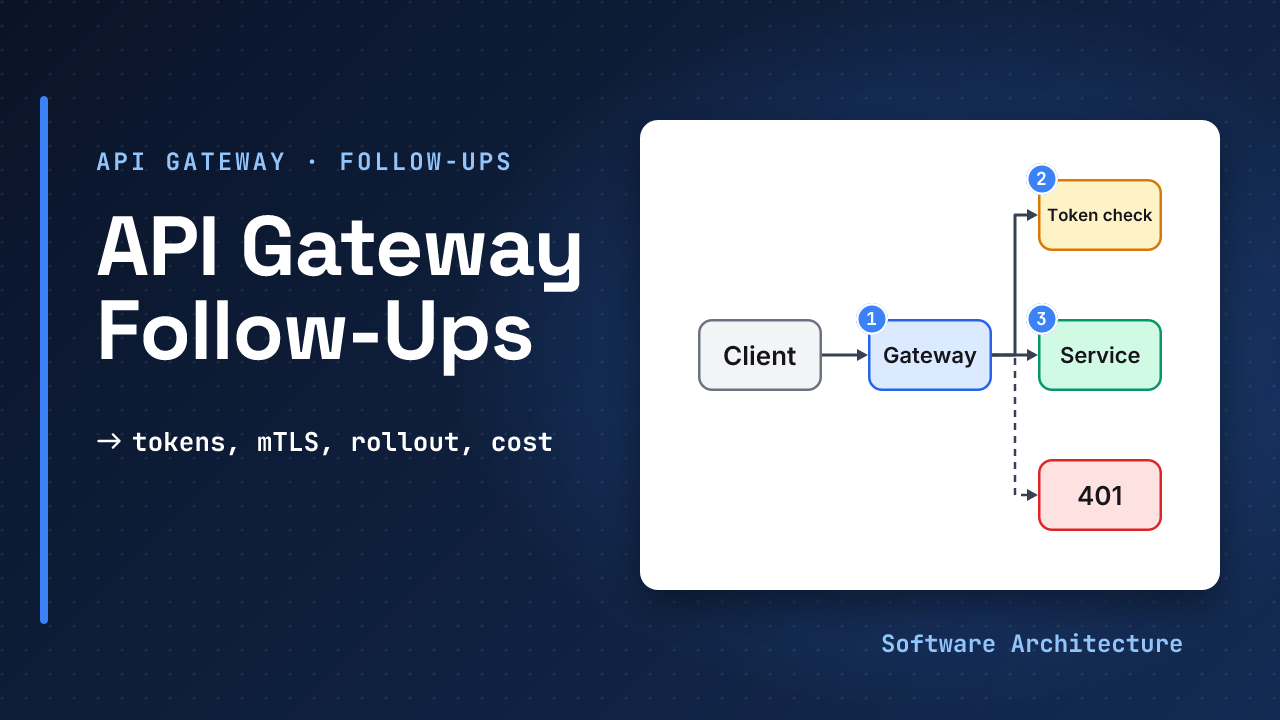
The gateway from the core lesson works. Then the follow-ups start. A support agent’s token is stolen, and it still works for the next ten minutes. A new routing rule ships on Monday and blocks every mobile user by nine. The home screen calls three services, and one of them is slow. A second region opens and every check crosses an ocean.
None of this changes the design, yet all of it decides whether it survives production. This is the second half of API gateway explained, which covers what the gateway owns, its latency, capacity, failure modes and timeouts.
- API gateway explained: the request path, fail-open vs fail-closed and the single point of failure.
- Design a rate limiter for the limiter the gateway calls, and caching strategies for the cache-hit arithmetic.
Should a failed token signature check fail open or closed? Closed. Open would let anyone call anything. This lesson asks how to run that check cheaply and how to take a token back.
- A token is checked locally with a cached public key, or by asking the identity provider. Local is fast and cannot see revocation. Asking sees revocation and adds a dependency.
- A revoked token stays usable for the shorter of its lifetime and your cache time, so the worst case is a number you choose.
- Encrypt and authenticate the gateway-to-service hop with mutual TLS, or any workload on the network can impersonate the gateway.
- Roll gateway config out like code: a small share of traffic, a gate comparing it with the old config, and one-step rollback.
- When an aggregating gateway loses one call, decide per route whether to return a partial answer or fail.
- Per-request pricing and your own fleet cost cross at a volume you can calculate.
- Run several regions with enough spare capacity in each to absorb the others.
Answer the production follow-ups on an API gateway: choose how tokens are validated and revoked, secure the hop to services, roll out config safely, handle partial failures, say what to monitor, estimate cost and place gateways across regions.
JWT or Introspection: How Does the Gateway Know a Token Is Good?#
A JWT is a set of dot-separated, base64url-encoded parts: header, claims and signature, as RFC 7519 defines it. To accept one, the gateway checks the signature with the issuer’s public key, then the claims. The JWT best-practice RFC says to accept only the algorithms you expect, never to accept the none algorithm unless asked, to reject a token whose issuer does not own the key, and to check the audience.
Amazon API Gateway’s HTTP API shows the checklist in practice: it verifies the signature with the key from the issuer’s jwks_uri (the issuer’s published list of public keys), then iss, aud, exp, nbf and scopes. It caches the key for up to two hours, a cache miss adds a network fetch, and key rotation needs a grace period where both keys are valid.
The alternative is token introspection. RFC 7662 has the gateway send the token to the provider, which replies with active true or false. The RFC allows caching “at the cost of liveness” and warns that caching creates a window where a revoked token still works.
| Local JWT check | Introspection | |
|---|---|---|
| Per-request cost | Fractions of a millisecond | A network call per cache miss |
| Sees revocation | Only at expiry | Within the cache time |
| Dependency | Key fetch now and then | Identity provider on the hot path |
| Token size | Larger (carries claims) | Small opaque string |
Worked numbers, with assumed lifetimes:
worst-case use after revoke
JWT, 10 min lifetime: 10 min
introspect, 30 s cache: 30 s
The recommendation is judgement, not a rule. Use short-lived JWTs verified locally on most routes. On the few routes where stopping a stolen token in seconds matters, such as payments or admin, add introspection or a very short cache. The RFC itself says highly sensitive environments may skip caching.
How Do You Secure the Gateway-to-Service Hop?#
After the gateway verifies the user, the service still has to trust that the call came from the gateway. On a flat network any workload can send the same request.
mTLS fixes this. Istio, for one, provisions each workload an X.509 identity and rotates the certificates automatically. It also shows the migration trap. Its default PERMISSIVE mode accepts both mutual TLS and plain text, and only STRICT mode accepts mutual TLS alone. A system left in PERMISSIVE protects nothing against a caller that simply skips TLS.
Three rules follow, mostly judgement:
- Services accept user identity from the gateway only over an authenticated channel. A user-identity header is safe only when the service knows the sender is the gateway.
- Reuse connections. A handshake per request would add the cost back.
- Alert before certificates expire. An expired certificate fails every call, which is a self-inflicted outage.
Azure’s guidance adds a simpler layer: limit public network access so services are reachable only through the gateway or a private network.
How Do You Change Gateway Config Without Taking Everything Down?#
A gateway config change touches every request. A typo in a route can break all users at once, which is why the pattern is to send a small share of traffic to the new version first.
Amazon API Gateway’s canary release splits traffic at random by a percentage between 0.0 and 100.0 and writes separate logs and metrics for canary requests, so you can promote the change or discard it. Azure’s routing guidance notes that issues can be reverted by a configuration change at the gateway.
Assume 12,000 requests a second and a 1 percent canary. Is that enough to see a problem?
1% of 12,000 = 120 req/s
120 req/s x 60 s = 7,200 requests
a 2% error rate = 144 errors/min
Assume a bad rule fails 2 percent of requests. Assume it shows up in the first minute while 99 percent of users never meet it. A bug on a rare route needs a longer step, so gate on the routes the change touches, not on the global average.
A new rule rewrites paths for /v2/orders only. Assume that route gets 1 percent of all traffic and the canary takes 1 percent of requests. About how many requests per second does the rule actually see, and what does that say about the step length?
With those assumed figures the canary takes 120 requests a second overall, and the route is 1 percent of that, about 1.2 a second. That is thin, so the step must last longer, or route canary traffic by path instead of at random.
When an Aggregating Gateway Loses One Call#
A home screen needs profile, orders and recommendations. The gateway calls all three. Azure’s aggregation guidance says to decide explicitly whether a timed-out call returns a partial response or fails the whole request, so clients see predictable behavior.
Run the calls in parallel, so the wait is the slowest call, not the sum:
80 + 120 + 200 = 400 ms in a row
max(80,120,200) = 200 ms parallel
Parallel calls also raise the odds of hitting a slow one. Assume each call is slow 1 percent of the time. Assume the chance all three are fast is 0.99 x 0.99 x 0.99, about 97 percent, so about 3 percent of home screens meet a slow call. A per-call timeout and a partial answer cap that damage.
- Partial is fine for a recommendations panel: show the screen without it.
- Fail the request when the data must be complete, such as an order total.
- Serve cached data as a fallback, which the same guidance suggests.
- Move heavy composition into a service behind the gateway, as the guidance recommends, so it cannot starve routing.
What Do You Watch?#
A gateway sees every request, so it is the best place to measure the system. Watch these, per route:
- Requests and errors: keep 4xx and 5xx rates apart so a client error is not read as an outage.
- Latency: p50 and p99, for the gateway and each upstream.
- Auth failures: a spike means an attack, a key rotation or a broken client.
- Fail-open events: any sustained count should alert.
- Breaker state changes and config version: which version served this error?
Azure’s aggregation guidance also says to implement distributed tracing with correlation IDs. A correlation ID lets you follow one request across the gateway and every call it made.
Set an SLO so alerts have a threshold. Assume 99.9 percent of requests succeed over 30 days:
0.1% of 30 x 24 x 60 min
= 0.001 x 43,200 = 43.2 min
That is the error budget (judgement): about 43 minutes of full outage a month, or the same budget spent on partial failures. Assume a bad rollout fails 2 percent of requests for 10 minutes: that spends 0.2 minutes of it.
What Does It Cost?#
Managed gateways charge per request. At the first tier, Amazon API Gateway’s pricing page lists $1.00 per million for HTTP APIs and $3.50 per million for REST APIs (REST caching is billed hourly on top). Prices change and vary by region, so check before you quote them. At 300 million requests a month:
HTTP API  300 x $1.00 = $300
REST API  300 x $3.50 = $1,050
Your own fleet costs by the hour. Assume six copies at $70 a month each, which is $420 before the people who run it. Against an HTTP API at $1.00 per million, assume the break-even is 420 million requests a month. Below that, managed is cheaper on the bill, and the on-call time is yours either way.
Two more things matter beside the bill:
- Limits. An HTTP API has a maximum integration timeout of 30 seconds that cannot be raised and a 10 MB payload size, so long jobs need a different pattern.
- Savings. Caching and early rejection cut backend cost, because a rejected request never reaches a billed backend.
How Do You Run Gateways in Several Regions?#
Azure notes that gateways can be global or regional, and that you use a global gateway when services run in several regions. The common shape is a full gateway stack per region, with a global entry point that sends users to the nearest healthy one.
Two things need care, both judgement. Per-region rollout: change one region at a time, so a bad config never hits all of them. Shared state: limiter counters follow the rate limiter follow-ups options, and token keys are fetched from the issuer in each region.
The sizing question is the one interviewers like. If one region fails, the others take its traffic:
spare = N / (N - 1) x own load
2 regions: 2 / 1 = 2.0x
3 regions: 3 / 2 = 1.5x
4 regions: 4 / 3 = 1.33x
Two regions need double the capacity in each. Three need 1.5 times. More regions cost less spare per region but add rollout and data-placement work.
Practice: Stop a Stolen Token#
A payments route accepts JWTs with a 60-minute lifetime, verified locally. A token is reported stolen. Assume 8,000 requests a second across the gateway and an identity provider that answers in 20 ms.
- How long can the thief keep using it?
- Propose a change so the worst case is 60 seconds on
/payonly. - What load does it put on the provider if every request is checked and nothing is cached?
Hint
Only /pay needs the stronger check, so work out its share of traffic before you size anything.
One reasonable answer
now      up to 60 min
fix      introspect /pay
         cache 60 s, or 1-min JWT
no cache 8,000 calls/s
         all to the provider
Introspection with a 60 s cache on /pay bounds the window at 60 s, and each token is looked up at most once a minute. With no cache, 8,000 calls a second hit the provider and every request pays 20 ms, so do not do that. A one-minute JWT lifetime is the alternative, at the price of more refresh traffic.
Make a card with the five production questions (token, hop, rollout, partial failure, cost) and answer each in one sentence tomorrow without looking. The rollout and token answers need numbers, so say the numbers too.
Level Expectations and Follow-Ups#
| Level | Should show |
|---|---|
| Mid | Gateway vs load balancer, what it owns, one failure mode |
| Senior | Capacity with N+1, timeouts, fail-open vs closed per check, JWT vs introspection |
| Staff | Revocation window numbers, safe rollout, multi-region sizing, cost break-even |
Answer each follow-up with a trade-off and a number, not a product name:
| They ask | Answer in one line |
|---|---|
| Gateway dies? | Stateless copies, N+1 across zones |
| Stolen token? | Window = min(lifetime, cache time) |
| JWT or introspection? | Local by default, introspect risky routes |
| Services trust the gateway how? | mTLS, STRICT mode, private network |
| Bad config shipped? | Canary by percent, gate, one-step rollback |
| One aggregated call fails? | Partial or fail, decided per route |
| Slow service? | Per-call timeout, breaker, retry budget |
| Ten times the traffic? | More copies, check limiter store capacity |
| Second region? | Full stack each, N/(N-1) spare |
| Cost? | Per-request price vs fleet price break-even |
| Business logic in the gateway? | Move it to a service behind it |
Check Yourself#
1.A JWT lives 15 minutes and the gateway verifies it locally. What is the worst case after you revoke it?
Up to 15 minutes, until the token expires. Local verification never asks the issuer, so it cannot see revocation.
2.Three regions run at equal load. One fails. How much capacity must each survivor have relative to its own normal load?
3 / (3 - 1) = 1.5 times. Each survivor takes half of the failed region’s load on top of its own.
3.Three parallel calls take 90, 150 and 60 ms. How long does the aggregate wait, and what happens if each is slow 2 percent of the time?
It waits for the slowest, 150 ms. The chance all three are fast is 0.98 cubed, about 94 percent, so about 6 percent of requests meet a slow call.
4.Why can a mesh in PERMISSIVE mode still be unsafe, even though mTLS is configured?
PERMISSIVE accepts plain text as well as mutual TLS, so a caller can skip TLS and the service still answers. STRICT mode refuses anything but mutual TLS.
In One Picture#
Token   local JWT or introspect
        window = min(life, cache)
Hop     mTLS, STRICT, private net
Config  canary, gate, rollback
Fan-out parallel, timeouts
Watch   errors, p99, fail-open
Cost    per request vs fleet
Region N/(N-1) spare eachConclusion#
The core gateway is a small component. The production answer is everything around it: a token window you chose on purpose, an authenticated hop to services, a rollout that proves a change on a few requests, a decision for every partial failure, signals that fire early, a cost you computed and spare capacity for the region that fails. Give a number with each answer and the follow-ups get easy.
Which of these probes would you want to rehearse first? Tell us in the comments.
- Back to the core: API gateway explained for the request path, fail-open vs closed, timeouts and mesh vs ingress vs BFF.
- The limiter it calls: rate limiting explained and design a rate limiter.
- Model traffic: AI gateway design.