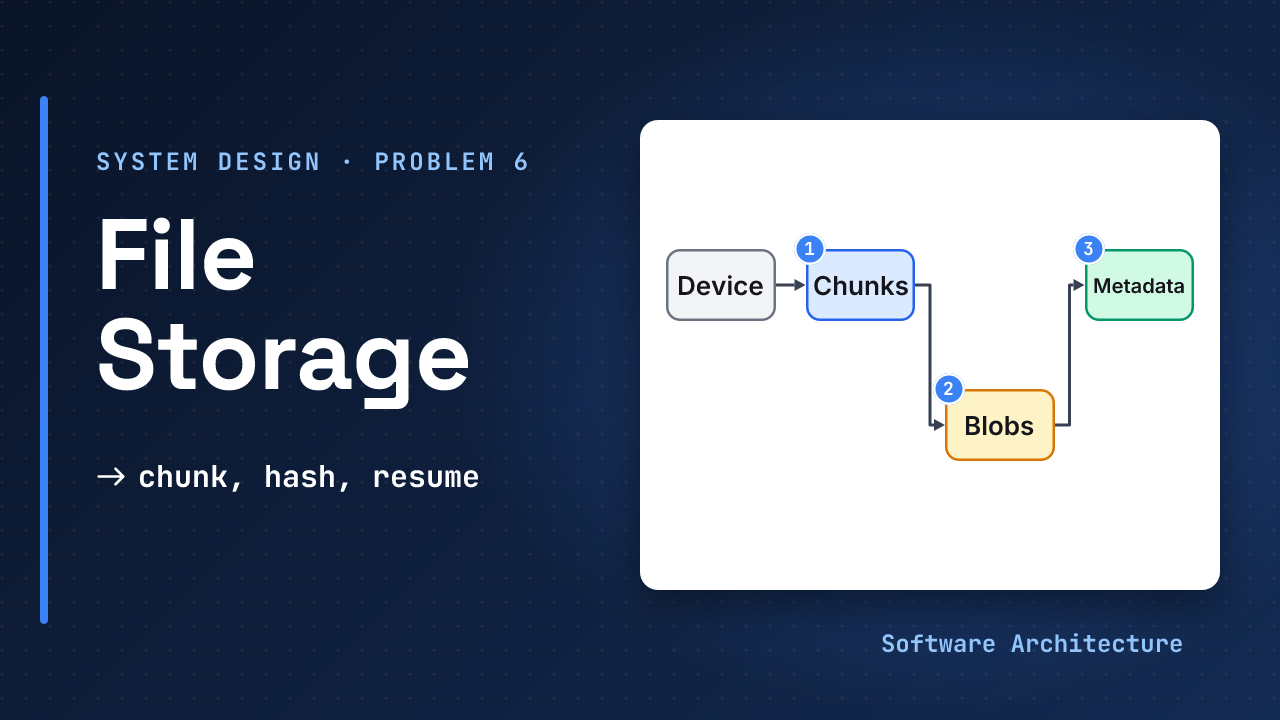
You drag a huge video into a folder. The progress bar crawls toward the end, the train enters a tunnel, and the bar goes back to zero.
At scale, some users edit one line of a huge file and expect only that change to move. Others save a movie a thousand people already saved. All expect their laptop and phone to agree.
A file storage service answers all of that with one habit: cut the file into chunks, name each chunk by its hash, and let every feature reuse that.
- The interview framework and estimation primer.
- Design a chat system and design a notification service: cursors and store-before-deliver return here.
How did an offline device catch up? It kept a cursor, the last sequence number it saw, and asked for what came after. Resume and sync are the same idea with different bytes.
- Keep metadata (names, versions, chunk lists) apart from bytes (chunks in object storage).
- Upload in chunks and resume from an offset, so a dropped connection costs seconds, not the whole file.
- Send the bytes straight to storage with a signed URL, so API servers handle only small requests.
- Name chunks by the hash of their content: the same hash means store it once, upload it once, fetch it once.
- Sync with a change log and a cursor, and download only the chunks a device lacks.
Design a file storage service end to end in 45 minutes: make uploads resumable, route bytes around the API, deduplicate with content hashes, and keep devices in sync.
Step 1: Pin Down the Problem#
Ask first: how big can a file get, is this consumer or team storage, must it work offline, and what does “sync” mean? State your assumptions aloud: consumer product, files up to about 1 TB, phone and laptop clients.
Functional requirements:
- Upload a file of any size, and download it.
- See the same files on several devices, kept in sync.
- Keep old versions and restore one.
- Share a file or folder with another person.
Out of scope (say these out loud):
- Real-time co-editing, previews and thumbnails, search, virus scanning and building end-to-end encryption (the companion lesson names the trade-off).
- Billing and quota policy beyond a simple check.
Non-functional requirements, each with a number. These are assumptions you announce:
- Durable: an acknowledged file is never lost. S3 Standard is designed for 99.999999999% durability a year, across at least three availability zones.
- Resumable: a dropped connection never restarts a big upload from zero.
- Consistent where it counts: a committed file is visible to its owner at once, and history is never forked.
- Efficient: a small edit should not move the whole file.
- Scale: assume 10 million daily users. Step 4 turns that into numbers.
Step 2: Entities and API#
User     id
File     id, path, version,
         size, chunk_hashes[]
Chunk    hash, size
Upload   id, file, offset,
         expires_at
Share    item, user, role

POST /uploads
  -> upload id, signed URLs
HEAD /uploads/{id}
  -> offset
PUT  <signed URL>   (chunk)
POST /uploads/{id}/commit
GET  /files/{id}
  -> chunk list, signed URLs
GET  /changes?cursor=
  -> changed files, next cursor
Design notes on the contract (judgement, not a vendor spec):
- Every call carries a token and passes a share or owner check.
POST /uploadstakes a client-made idempotency key, andcommitis idempotent on the upload id, so a retried request is harmless./changesreturns a page plusnext cursorandhas_more.- Errors: 409 stale offset or base version, 410 expired upload, 403 no access, 429 rate limited, 507 over quota.
A file is a name, a version and an ordered list of chunk hashes; the bytes live elsewhere. That split, small facts in a database and big bytes in an object store, underlies everything below. A rename or move is cheap too: the id stays, only path changes, no chunk moves.
Step 3: A Design That Works#
Start with the simplest thing. The client sends the whole file in one request to the API server, which writes it to storage.
Correct and easy to build, and where the trouble starts.
Assume a 2 GB file on a 20 Mbit/s connection that drops at 95 percent. How long does one try take, and how much time does the drop cost?
Assume 2,000 MB, which is 16,000 megabits; at 20 a second that is 800 seconds, about 13 minutes. A drop at 95 percent throws away ≈ 760 seconds, 12.7 minutes, and the retry pays it again. On a flaky network a big file may never finish, and every byte crosses an API server for nothing.
Step 4: Estimate What Matters#
Assume 10M daily users
20 MB uploaded each a day
Peak = 5x the average

Uploads: 200 TB / 86,400
  ≈ 2.3 GB/s, peak ≈ 11.6 GB/s
Stored: 10M x 5 GB ≈ 50 PB
Metadata: 10M x 2,000 files
  = 20 billion x 500 B
  ≈ 10 TB
100 metadata calls/user/day:
  1B / 86,400 ≈ 11.6k QPS
  peak 5x ≈ 58k QPS
Each line decides something:
- ≈ 11.6 GB a second at peak (over 90 gigabits) is why API servers must not carry the bytes.
- Roughly 50 PB means an object store, not a database.
- About 10 TB of metadata is small but hot: every list, sync and permission check reads it. It lives in a database that shards by user.
- ≈ 58k QPS at peak, mostly small reads, is why metadata needs read replicas and a cache in front.
- These are assumptions for the arithmetic. Check your own.
Step 5: Deep Dives#
Four questions decide this design. Follow where the interviewer leads.
How Do Big Uploads Survive a Bad Connection?#
A drop is a lost acknowledgement: the sender must be able to ask how much arrived, and a repeat must be harmless.
As in step 3. No protocol to learn.
Split the file into chunks and keep an offset. In the tus protocol, after a drop the client asks with HEAD and gets Upload-Offset, then sends a PATCH from that offset. A mismatched offset gets 409 Conflict and changes nothing. A success is 204 with the new offset. The IETF is standardising the same idea as an Internet-Draft, “Resumable Uploads” (draft 14, October 2026, still not an RFC), also using HEAD and Upload-Offset.
An 8 MB chunk at 20 Mbit/s takes 8 × 8 = 64 megabits ÷ 20 = 3.2 seconds. A drop now costs a few seconds, and the assumed 2 GB file is ≈ 250 chunks.
Add three protections. A checksum per chunk catches corruption: on a mismatch a tus server answers 460 and discards the chunk, offset unchanged. An expiry stops abandoned uploads piling up: tus has an Upload-Expires header, and Nextcloud expires an unfinished upload after 24 hours of inactivity. And parallel chunks speed things up: tus’s concatenation extension lets the client send parts in parallel and join them in a stated order.
Check quota early: Nextcloud takes the total length with each chunk and can reject with 507 at once, instead of failing at assembly after every byte was sent.
What Does Resuming Look Like?#
What Limits Do Real Object Stores Set?#
Object stores offer the same pattern, with limits that set chunk size. Amazon S3 multipart takes 1 to 10,000 parts of 5 MiB to 5 GiB, for objects up to 48.8 TiB, which is 10,000 × 5 GiB (checked October 2026). The part count caps the file, so chunks grow with it: a 1 TB file needs parts of at least 100 MB.
Google Cloud Storage resumable sessions take chunks in multiples of 256 KiB, for up to a week.
Where Do the Bytes Go?#
Object storage holds big blobs cheaply and durably. The question is who carries the bytes there.
The client sends chunks to the API server, which forwards them to storage.
The API server checks permission and returns a URL for each chunk that the client can use to send bytes straight to storage. Git LFS’s batch API shows the shape: the response holds an upload action with a URL and an expiry (expires_in or expires_at) and optionally a verify action the client calls afterwards. The basic transfer is a PUT to that URL.
A signed URL is a bearer token. S3 lets SDKs sign one for up to 7 days; sign for minutes, one chunk per URL.
Chunks go to object storage under their hash. The metadata database holds the file record: name, version and the ordered list of chunk hashes. The commit is the moment a file exists, and it happens only after the API server has confirmed every chunk is present. A file is never half-visible.
How Do You Avoid Storing and Sending the Same Bytes Twice?#
A hash names content: the same bytes get the same name, anywhere.
If a file’s hash is already known, store nothing new.
Cut every file into fixed chunks, hash each one, and store a chunk only if its hash is new. restic names every stored file by the SHA-256 of its content and never modifies it. Before uploading, ask which hashes the server lacks: in Git LFS, a server that has an object omits the actions and the client sends nothing. Dropbox’s API content_hash uses 4 MB blocks.
Let the data decide where chunks end. restic splits files with content defined chunking based on Rabin fingerprints: files under 512 KiB are not split, chunks run from 512 KiB to 8 MiB, and the average is about 1 MiB. A boundary depends on the nearby bytes, so an edit changes a chunk or two and the rest keep their hashes.
A toy test: 8 MiB of seeded random data, one byte inserted at the start:
Fixed 64 KiB chunks:
  129 of 129 are new
Content-defined (~64 KiB):
  1 of 124 is new
In the middle: fixed re-sends 65 of 129, content-defined 1 of 124 (a toy chunker, not restic’s). Compress after hashing, and skip formats already compressed, such as video.
What About Old Versions?#
Versions come almost free: each restic backup is a snapshot, and snapshots share unchanged blobs. In your design a version is a new chunk list: unchanged chunks are shared, so history costs only the changed chunks. How long history lives is a product rule (see Step 6).
How Do Devices Stay in Sync?#
Catching up from a cursor is the chat trick: the log is the truth, each device remembers one number.
Each device asks for the full file list and compares it to what it has.
Every commit appends an entry to a per-user change log with an increasing sequence number. A device keeps the last number it saw and asks for changes after it. Syncthing’s protocol has the same idea: each file has a sequence number from a device-local monotonic clock that ticks on every update, which lets a peer ask only for what changed.
Polling every few seconds wastes requests. Instead each device keeps one open connection (long poll or WebSocket, as in chat) and the server sends only a nudge: “something changed”. The device reads the log from its cursor; a slow poll is the backstop. The nudge is a hint and the cursor is the truth, so a lost nudge costs a delay, never a missed change.
When a file changes, the device compares the new chunk list with its own and downloads only the chunks it lacks. Syncthing describes files by block hashes and has devices request the missing or outdated blocks, with blocks from 128 KiB to 16 MiB. Two devices can edit the same file offline, and a version vector, a counter per device that changed the file, shows that neither saw the other’s edit.
What Cleans Up After All This?#
Content-addressed storage never overwrites a chunk, so something must remove unused ones; in restic only prune removes data. The garbage collector deletes unreferenced chunks and expired sessions, by reference counts or mark and sweep, after a grace period: a chunk uploaded a moment ago may not be in a committed file yet.
Bytes go to storage, facts go to the database, and hashes tie them together. The same chunk hash drives resume, deduplication, versions and sync.
Step 6: What Breaks, Who Attacks, What It Costs#
Senior rounds spend the last third here, and the answer is long enough for its own lesson: Design a File Storage Service: Failure Modes, Security and Follow-Ups (2026). In the room, name these three first:
| If asked | Start with |
|---|---|
| A part dies | clients resume, the commit is idempotent, replicas take over |
| Someone attacks | short signed URLs, rate limits, and the dedup privacy trade-off |
| It costs too much | dedup, capped versions and cheaper storage for old data |
The companion also covers sharing and downloads, version retention, the offline client, the follow-up table and the 45-minute plan.
The Final Design in One Picture#
Follow one upload and one sync:
- The client chunks and hashes the file, then starts an upload.
- The API server returns signed URLs only for chunks storage lacks.
- The client sends them straight to object storage, resuming after any drop.
- The API server confirms the chunks exist and commits the file record and a change log entry together.
- Another device gets a nudge, reads the log from its cursor, and downloads only the chunks it lacks.
- Later, the garbage collector removes unreferenced chunks and expired sessions.
What Each Level Should Show#
| Level | Expected in the room |
|---|---|
| Mid-level | Chunked upload, object storage, a metadata table. Needs a hint about resume and bandwidth. |
| Senior | Resumable offsets, signed URLs, chunks named by hash, dedup, a change log with a cursor and a nudge, a share check before signing, metadata versus blob split. |
| Staff+ | Content-defined chunking trade-offs, part-count limits, commit ordering and orphan cleanup, version vectors and conflict policy, privacy of dedup versus end-to-end encryption, erasure coding versus replication, shard hot spots, and what to build first. |
Red Flags and Green Flags#
“Upload the file to S3 and store the path in a database.” Nothing about resume, a huge file on a bad network, or two devices editing the same file.
“I’ll cut files into chunks named by hash, upload them straight to storage with signed URLs and resume from an offset, commit a chunk list only after every chunk is confirmed, and sync devices with a change log and a cursor.”
Drawing “client, server, S3” and spending the time on folder permissions, while the interviewer waits to hear what happens to a big upload on a bad connection.
Try It: A Huge Video on a Bad Train Connection#
Change one variable. Assume a user uploads a 100 GB video on a 50 Mbit/s connection that drops about every 10 minutes.
- How long would one uninterrupted upload take?
- Why does a single request never finish?
- Pick a chunk size and say what a drop costs.
- Does your chunk size fit a 10,000-part limit?
Hint
Convert to megabits, divide by the speed, compare with 10 minutes.
One reasonable answer
100 GB = 800,000 Mbit
/ 50 Mbit/s = 16,000 s
  ≈ 4.4 hours
One request needs about 4.4 hours but the link drops every 10 minutes, so it never finishes.
With 64 MB chunks there are ≈ 1,563, and one chunk is 512 megabits ÷ 50 = about 10 seconds. A drop costs at most one chunk, so the upload resumes from the server’s offset and finishes in about 4.4 hours plus the retries. 1,563 parts is well under 10,000. The smallest part size that fits is 100 GB ÷ 10,000 = 10 MB.
Check Yourself#
1.A chunked upload drops. How does the client know where to continue?
It asks the server for the current offset, as with tus’s HEAD request and Upload-Offset header, then continues from there. If the offsets disagree the server refuses with 409 and changes nothing.
2.Why upload directly to storage with a signed URL?
Upload bytes are the largest traffic, and proxying them wastes network and CPU. The API server only authorises and commits; the URL expires so a leak ends on its own.
3.A user inserts one byte at the start of a huge file. Why do fixed-size chunks and content-defined chunks behave differently?
Fixed boundaries shift with the insert, so every later chunk changes. Content-defined boundaries follow the data, so most chunks keep their hash and only one or two are new.
4.When does a file become visible, and what if the commit never happens?
At commit, after every chunk is confirmed. Without a commit the chunks are unused and the garbage collector removes them after a grace period.
Tomorrow, draw the final design from memory and trace a drop near the end, a one-byte edit and a second device syncing. Say which part (offset, chunk hash or cursor) does the saving.
In One Picture#
The 60-second answer: “Metadata and bytes are separate. Clients cut files into content-defined chunks named by hash, upload only missing ones straight to object storage with short signed URLs, and resume from a server offset. One transaction commits the chunk list and a change log entry. Devices follow a cursor, nudged by a push, and fetch only missing chunks. Conflicts keep both copies. Metadata shards by user.”
≈ 11.6 GB/s peak · 50 PB · 58k QPS
chunk = hash · bytes to storage
facts to DB · cursor for syncConclusion#
A file storage service is a metadata system with a bytes system attached. One idea, a stable name for each piece of content, gives you resume, deduplication, versions and sync at once.
Which would you defend first in an interview: resume, dedup or sync? Tell us in the comments.
- Next, the production half: Failure Modes, Security and Follow-Ups takes this design through outages, abuse, cost and the questions that follow.
- The delivery path to a device: design a chat system and design a notification service.
- Where the bytes live: the object storage lesson and spreading keys evenly.
- Next in Module 4: design a web crawler, where billions of pages must be fetched politely and never twice.