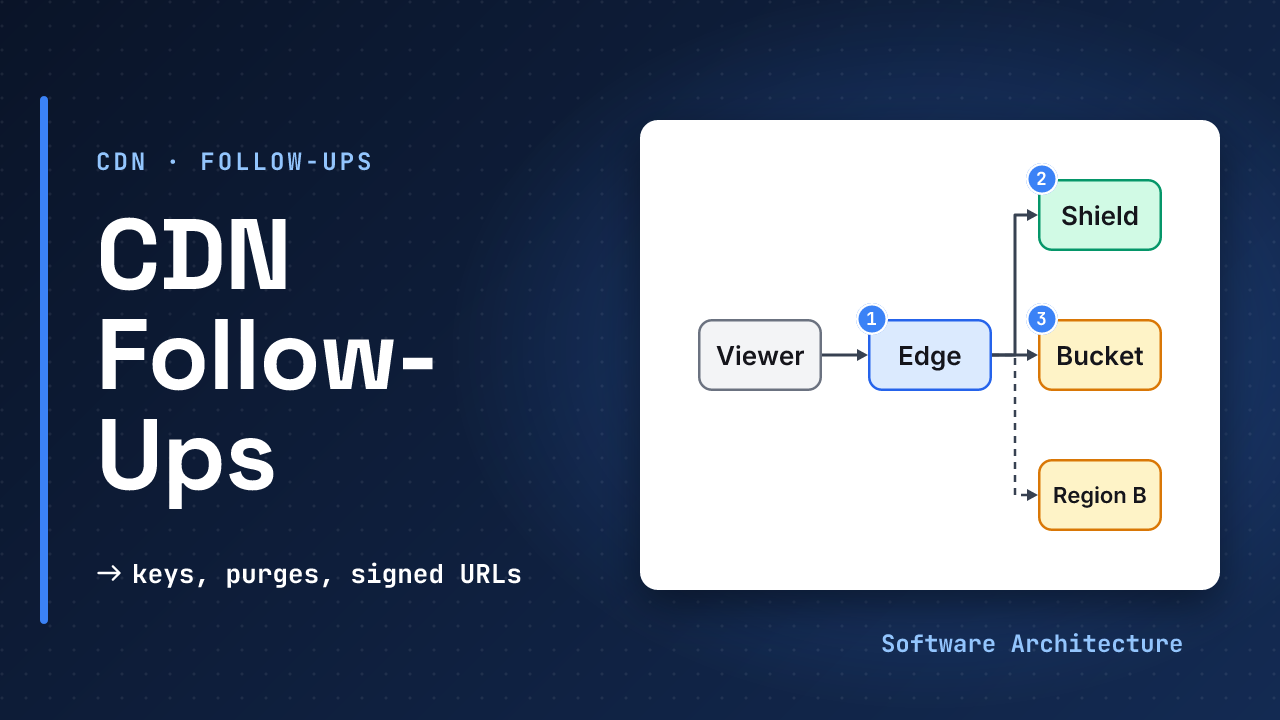
The CDN is in place and the first week goes well. Then the incidents start. A marketing link adds ?utm_source= to every URL and the hit ratio halves. A deploy purges everything and the origin falls over at nine in the morning. A paid video leaks because one URL never expired. The origin region has a bad hour and the site shows errors.
None of that changes the core idea, yet all of it decides whether the setup survives production. This lesson is the second half of CDNs and object storage, which covers what each part is and the hit-ratio arithmetic.
- CDNs and object storage: the origin, the edge, hit ratio, TTLs and versioned file names.
- Design a file storage service: presigned and multipart uploads, which this lesson only touches.
With a high hit ratio, why can users still complain about speed? The few misses take the slow path, so the p99 latency is the miss latency. The average hides the tail.
- Put a value in the cache key only if it changes the response. Every extra value multiplies the copies and cuts the hit ratio.
- A shield merges misses from many edges, and it is billed, so use it when many edges ask for the same large file.
- Version names instead of purging. A wildcard purge empties the cache and sends the full load to the origin.
- Signed URLs fit one file and signed cookies fit many. Keep the bucket private behind the CDN.
- Count the bill as storage plus requests plus egress, and see which layer pays the egress.
- Failover between regions is only as fresh as the replication behind it.
Tune a CDN for production: choose the cache key, decide on a shield, plan a deploy without a purge storm, protect private files, estimate the monthly bill and design a regional failover, then answer the usual follow-ups in a line each.
What Belongs in the Cache Key?#
By default, CloudFront’s cache key is the domain and the URL path. Everything else is ignored until you add it, and every value you add splits the cache.
AWS gives a concrete case. A viewer’s Accept-Language header can arrive as en-US,en, en,en-US, en-US, en or en-US, all meaning English, so keying on it can store the same file up to four times. A better design puts the language in the URL (/en-US/story.html). User-Agent has thousands of variants, and session cookies can be unique per viewer, so AWS calls both poor candidates for the key.
If the origin needs a value only for logging or analytics, forward it with an origin request policy and keep it out of the key.
Leaving out a value that does change the response serves one person’s variant to everyone. That is the root of web cache poisoning: a request part the cache ignores, the unkeyed input. PortSwigger’s guidance is to cache only static responses and to disable request headers the site does not need. Per RFC 9111, a response with a Vary header may be reused only when the named request headers match.
When Does an Origin Shield Pay Off?#
Without a shield, 20 edges can each ask the origin for the same new file. An origin shield sends every edge miss through one place, so AWS says requests “are consolidated … resulting in as few as one request going to your origin”.
Assume 90 percent hits at the edge and 70 percent at the shield, as in the core lesson: that leaves ≈3 percent of traffic for the origin.
The cost side matters too. AWS bills the shield per request, and says it is a poor fit for dynamic, low-cacheability or rarely requested content. A GET with a TTL under 3,600 seconds counts as dynamic, so the shield is an extra billed hop on every such request.
| Use a shield when | Skip it when |
|---|---|
| Viewers are spread across many regions | Almost all viewers are near the origin |
| The origin is expensive per request (resizing, packaging) | Files are small and the origin is cheap |
| Popular files are large | Content is mostly dynamic or short-lived |
Also watch for request collapsing: several simultaneous misses for one file wait on a single origin fetch. Whether your CDN does this by default is worth checking, since it is what stops a popular file’s expiry from becoming a stampede.
What Does Invalidation Really Cost?#
Money first. CloudFront gives 1,000 invalidation paths free per month across the account, then bills per path. A path with a * wildcard counts as one path however many files it covers. Check the pricing page for the current rate. Assume a deploy changes 300 files and you purge each one, four deploys a month:
Per file: 300 × 4 = 1,200 paths
 free 1,000 → 200 billed
Wildcard /assets/*: 4 paths, free
The wildcard looks cheaper, but it has a hidden cost. Assume 50,000 hot files and 20 edge caches. After /*, every edge must refill, so the origin can see up to 50,000 × 20 ≈ 1,000,000 requests in a burst. Behind a shield it sees ≈50,000, one per file. Both numbers are assumptions that show the shape.
Time and reach matter as well. A purge is not instant, and it cannot reach copies already in browsers or office proxies, which is why AWS recommends versioned file names for anything updated often. Tag-based invalidation, where many objects share a tag and one call drops them all, exists on some CDNs, and CloudFront counts one tag as one path.
How Do Signed URLs and Cookies Protect Files?#
A private file needs two locks. The bucket must refuse direct requests, and the CDN must check each viewer. For the first, CloudFront origin access control signs the CDN’s requests so the bucket can stay private. For the second, AWS describes two tools:
| Tool | Best for | Trade-off |
|---|---|---|
| Signed URL | One file, such as a download | A new URL per file |
| Signed cookie | Many files, such as every segment of a video | Needs a client that keeps cookies |
A signed URL is a bearer token: whoever holds it can use it until it expires, so sign for minutes, not days. Use signed cookies for a whole video, because signing each of hundreds of segments is wasteful. One trap: signed query parameters (Signature, Expires, Policy) must not be part of the cache key, or every viewer’s URL is a unique key and nothing is ever a hit. Confirm this in your CDN’s documentation.
A presigned S3 URL goes straight to the bucket, valid for up to 7 days with SDK signing, and never touches the CDN. Chunking, resuming and multipart limits are in Design a file storage service, so this lesson does not repeat them.
What Does the Bill Look Like?#
Three meters run: storage, requests and egress. Egress is usually the big one, and it changes by layer. S3 does not charge for data sent to CloudFront, and Cloudflare R2 states that egress from R2 is free, with storage at $0.015 per GB-month and $0.36 per million Class B (read) operations. Prices change, so check the page on the day you decide.
A worked month, with every rate an assumption: deliver 100 TB (100,000 GB) of 400 KB files, which is 250 million requests, at a 95 percent hit ratio.
| Path | Calculation | Monthly |
|---|---|---|
| Direct from origin | 100,000 GB × $0.09 | $9,000 |
| Through a CDN | 100,000 GB × $0.05 | $5,000 |
| Origin reads on misses | 12.5M × $0.0004 / 1,000 | $5 |
The $0.0004 per 1,000 GET figure is S3’s published rate for one region, and the two per-GB rates are assumptions. The saving of ≈$4,000 comes from the lower delivery rate, while the origin reads are tiny at a high hit ratio.
Per-request CDN fees are left out, so treat this as a shape, not a quote. On a zero-egress store, reading 250 million objects directly at $0.36 per million would be ≈$90. The best layer to pay for changes with the provider.
What If the Origin Region Fails?#
Failover in CloudFront uses origin groups, which try a primary origin and then a secondary on chosen status codes (any of 400, 403, 404, 416, 429, 500, 502, 503, 504), only for GET, HEAD and OPTIONS. By default it tries the primary for up to 30 seconds (3 attempts of 10 seconds). Cut the connection timeout to 2 seconds with one attempt and failover starts in about 2 seconds, an assumption to tune against flapping.
The secondary is a replica, only as fresh as the copy.
S3 Replication Time Control replicates 99.9 percent of objects within 15 minutes, so plan for new objects to be absent for that long. This is the consistency stance: the primary is strongly consistent, the replica is eventually consistent, and the edge may add TTL staleness on top.
Versioned, immutable names make failover safe. An old file is identical in both regions, and only a brand-new key can be missing. Do not fail over on 404 unless you want every genuine missing file to hit the secondary too.
Practice: Fix a 40 Percent Hit Ratio#
A static site on a CDN shows a 40 percent hit ratio. The cache key includes all cookies, the User-Agent header and all query strings. Pages carry ?utm_campaign= tags. CSS and JS have the same name on every deploy, with max-age=60.
- List the changes that raise the ratio, in order.
- What should the CSS and JS headers be?
- After the fix, how do you ship a new
app.js?
Hint
Ask of each key value: does it change the bytes? Then ask how often a file really changes.
One reasonable answer
1. Key = host + path only.
   Drop cookies and User-Agent.
   Allow-list the query strings
   that change output; ignore
   utm_*.
2. Hash the names: app.3f9a.js
   max-age=31536000, immutable
3. Build a new hash, update the
   HTML, deploy. No purge.
Only HTML needs a short TTL, so it points to new hashed assets. Forward the cookies the origin needs through an origin request policy, not the key. Measure origin request rate before and after, and watch for any page that really varies by cookie.
What Would You Watch in Production?#
Track five signals: edge hit ratio and the origin request rate, bytes served from the origin, origin 5xx rate, 4xx rate (a spike can mean a leaked or expired link) and purge counts. CloudFront logs mark shield hits as OriginShieldHit, so you can tell where a request stopped. Assume an SLO of 99.9 percent of requests under 300 ms, and tune it.
Expect follow-ups. Answer each with a trade-off, not a product name:
| They ask | Answer in one line |
|---|---|
| Hit ratio dropped after a release? | Check the key: new cookie, header or query string |
| Purge everything on deploy? | No. Version names; a wildcard refill hits the origin |
| Do you need a shield? | Many regions and a costly origin, yes |
| Paid video links leak? | Private bucket, short signed cookies |
| One file, many users? | Signed URL |
| Region down? | Origin group; replica lags up to 15 minutes |
| Cost too high? | Raise hit ratio, shrink objects, check which layer bills egress |
| Personal data? | Skip the shared cache |
Level expectations: a mid-level answer names the CDN and the hit ratio. A senior answer adds the key, versioned names, signed access and the failure path. A staff answer adds cost per layer, the replication lag in the failover and how the rollout is measured.
Check Yourself#
1.Why is the Accept-Language header a risky cache key value, and what is the safer design?
Equivalent values such as en-US,en and en,en-US are stored as separate copies, so the same file can be cached several times. Put the language in the URL path instead and keep the header out of the key.
2.A deploy purges /* and the origin slows down. What happened and how do you avoid it?
Every edge emptied at once and refilled from the origin. Version asset names so no purge is needed, and put a shield in front so the refill is one request per file.
3.Which do you use for a paid course with 400 video segments per lesson, and why?
A signed cookie, because it covers many files without changing URLs. Keep the bucket private behind origin access control and set a short expiry.
4.After failover, a photo uploaded two minutes ago returns 404. Why, and is it a bug?
Replication is asynchronous, so objects are copied within 15 minutes for 99.9 percent of them, so the new key may not exist in the secondary yet. It is expected, so design the client to retry or show a pending state.
In One Picture#
Key       only what changes bytes
Shield    many edges, dear origin
Change    new name, not a purge
Private   private bucket + signing
Bill      storage+requests+egress
Failover  replica lags; keep names
immutableConclusion#
The core design is two boxes. The production answer is everything around them: a tight cache key, a shield only where it pays, file names that change instead of purges, private buckets with short-lived signing, a bill you can predict and a failover that admits its lag. Say which trade-off you took each time and the follow-ups get easy.
Which of these has caught your team out: the cache key, a purge, or a leaked link? Tell us in the comments.
- Back to the core lesson: CDNs and object storage for hit-ratio arithmetic, durability and failure modes.
- Uploads and sync: Design a file storage service.
- Video at scale: Design a video streaming service, where signed cookies and chunked delivery come together.