It is 2 a.m. and the pager goes off. The suggestion list for “ca” is showing a phrase that should never appear next to a brand name. The rebuild job failed three days ago, nobody noticed, and the fix cannot wait for the next build.
The core design from Design a Typeahead Search answers “how is each keystroke fast?”. Senior rounds spend the second half on a different question: what happens when it breaks, gets abused or has to work for everyone? This lesson is that half.
- Design a Typeahead Search, the lesson this one extends. Start with it: the numbers, the prefix table and the rebuild and swap are used here without being re-derived.
- Design a news feed for another precomputed list that goes stale.
Why copy the whole table to every node instead of splitting it? Because at the assumed ≈ 7.5 GB it fits in memory, so any node can answer any prefix and nothing needs routing. Keep that: it is why a node dying is a non-event below.
- Every failure should cost speed or freshness, never the search box, and the client should treat a failed request as “no suggestions”.
- Watch table age, not just latency: a failed rebuild is silent and the lists simply get older.
- Block in three layers: before the build, at answer time with an instantly editable deny list, and against abusers with rate limits.
- Normalise Unicode the same way on both sides, keep one table per locale, and make the list work from the keyboard.
- Replicate and publish versioned tables per region, and roll out one region first.
Walk the interviewer through what fails, what the user sees, how you would know, how you block and rank safely, and answer the usual follow-ups in a sentence or two each.
The Numbers This Lesson Reuses#
Everything below sits on the core lesson’s assumptions. They are assumptions, not measurements:
10M daily users
peak ≈ 23,000 req/s
table ≈ 7.5 GB, copied per node
18,278 short prefixes cached
rebuild every hour
What Breaks, and How Do You Know?#
Name each component dying and what the user sees. This is judgement, and it is where senior answers separate from mid-level ones.
| Dies | The user sees | Mitigation |
|---|---|---|
| A service node | Nothing | Load balancer removes it; others hold the same table |
| The edge cache | Slower answers, more load | Nodes absorb it; check headroom for a cold cache |
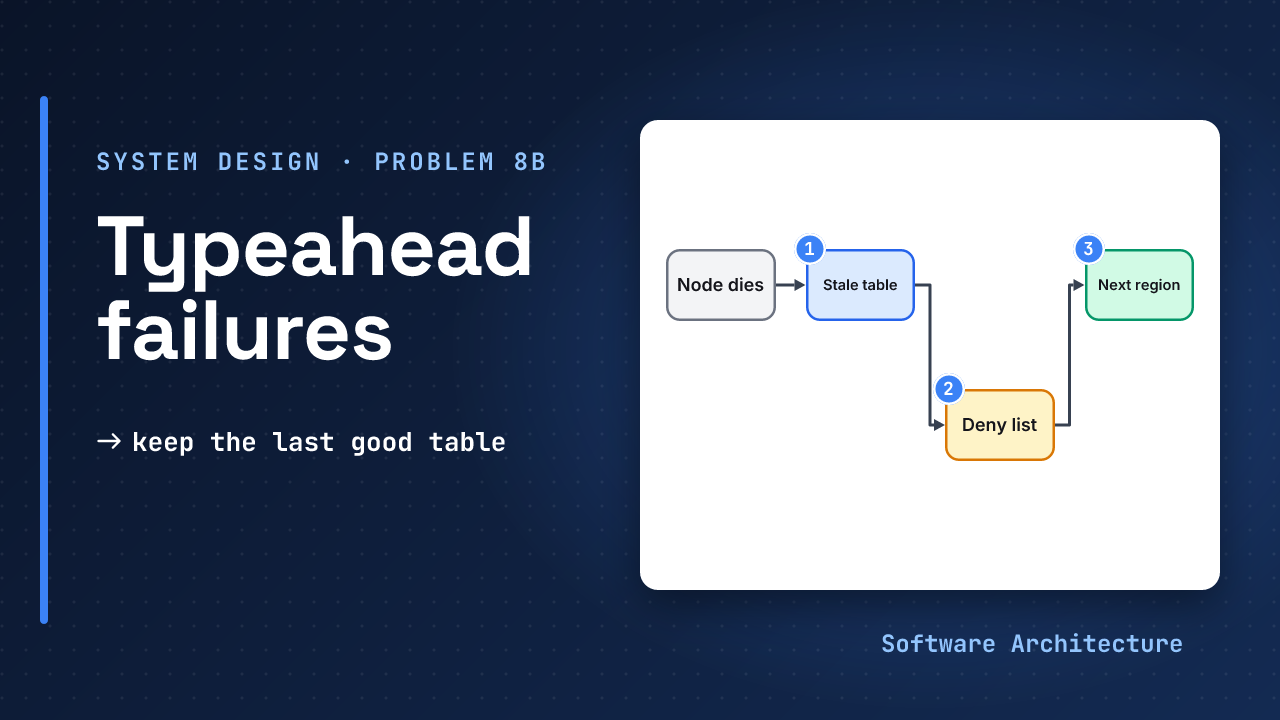
| The rebuild job | Stale suggestions | Keep the last good table; alert on table age |
| A region | Slightly slower answers | Route to the next nearest region |
| The whole service | No suggestions | Client times out fast and shows the plain search box |
Of the five failures in the table, which one would your users and your dashboards notice last? Decide before reading on.
The rebuild job. Latency and errors stay green while the lists age, because nothing visibly breaks, so it gets its own signal below. The cheap failures are the ones the core lesson designed away: every node holds the whole table.
Which Four Signals Tell You?#
Watch four signals:
- p99 latency and error rate.
- Cache hit rate by prefix length.
- Table age.
- Pick rate (how often a shown suggestion is chosen).
p99 is the one that matters for typing, because every keystroke is a request. Table age catches the silent failure. Pick rate catches the quality failure: a table that is fresh and fast but suggests the wrong things.
Page on an SLO burn or a table older than twice the rebuild period, not on a single slow request.
How Do You Roll Out a New Table?#
Roll a new table out to one region first, compare its pick rate and size with the old one, then widen. Keep the old table for rollback. A new table that is much smaller than the old one usually means the build dropped data.
Cost is memory times replicas times regions, plus edge egress. Request count, not bandwidth, is the limit, so memory is the line item to watch.
What Decides the Order, and What Do You Block?#
Popularity alone is a start. These are the signals a team would weigh; the weights are product decisions, not facts.
| Signal | Why it helps | Watch out for |
|---|---|---|
| Search count, decayed | Shows what people want, and fades old spikes | Rich-get-richer: leaders stay leaders |
| Pick rate (clicked when shown) | Rewards suggestions that work | Position bias: the top slot gets clicks anyway |
| The user’s own history | Personal, high value | Cannot sit in a shared edge cache |
The last row has a source behind it. MDN warns that a shared cache reuses one response for many users, so personalised suggestions need Cache-Control: private or a re-rank behind the edge.
Blocking comes in layers. Before the build: drop blocklisted, personal-data and rare queries. At answer time: an instantly editable deny list filters the final five. Against abuse: rate limit per client and discount bursts, so coordinated searching cannot push a phrase up. Logs hold what people typed, so set short retention and access rules.
Treating a harmful suggestion as a data fix for the next rebuild. The table is rebuilt only every so often, so the phrase keeps showing. Elasticsearch’s completion suggester never shows deleted documents, which is the behaviour to copy: removal is immediate, the rebuild only makes it permanent.
Languages and Screen Readers#
Two requirements that a global product cannot skip.
Languages. The same visible text can be stored two ways, so “Amélie” may not match itself. String.prototype.normalize() returns one canonical Unicode form (NFC by default), so normalise both the stored queries and the incoming prefix the same way. Elasticsearch’s fuzzy option has unicode_aware to measure edit distance in code points, not bytes. Judgement: one table per locale so rankings do not mix, prefixes on characters for languages without spaces, and no requests while an input method is mid-composition.
Keyboard and screen readers. Make the list usable without a mouse: MDN describes the combobox role for an input that controls a popup listbox, with these attributes and one key:
aria-expanded,aria-controlsandaria-activedescendanton the input.- The Down Arrow key moving focus into the list.
What About Several Regions?#
For several regions, keep a full copy of the table in each, built once and published as a versioned file to every region. Users go to the nearest region, a failed region’s traffic goes to the next nearest (slower, but it works), and a region whose publish fails keeps serving its last version. That is the availability choice from the core lesson, applied again: a slightly old list beats no list.
Follow-Ups You Will Get#
| They ask | A short answer |
|---|---|
| Traffic grows 10 times? | Add replicas and edge capacity first (about 230,000 req/s at peak); the table does not grow with traffic. |
| The cache is cold after a deploy? | Warm the 18,278 short prefixes before shifting traffic. |
| How do you measure success? | Pick rate and keystrokes saved per search, plus latency. |
| A harmful suggestion is reported? | Deny list at answer time now, table and cache cleanup next, rebuild makes it permanent. |
| A region goes down? | Route to the next nearest region: slower, but suggestions keep working. |
The 45-Minute Plan#
A pacing that works for the whole round, including the core design:
 5  requirements, assumptions
 5  API
 5  numbers
 5  naive design, why it fails
15  deep dives (stored top 5,
    client and edge, freshness,
    scaling)
 5  failures, metrics, follow-ups
If you are short on time, cut the scaling dive, not the failure modes. This lesson is that last five minutes, expanded.
Try It: Three Regions#
Assume the table is the core lesson’s ≈ 7.5 GB. You run 3 regions with 3 replicas each, and rebuild every hour.
- How much memory holds all the copies?
- When should the table-age alert page?
- Region B’s publish fails. What do its users get?
Hint
Count copies first, then multiply. For the alert, use twice the rebuild period.
One reasonable answer
3 regions x 3 replicas
  = 9 copies
9 x 7.5 GB = 67.5 GB
Page when the table is older than 2 hours (twice the hourly rebuild). That is judgement, not a standard.
Region B keeps serving its last good version, so users get slightly old suggestions and no errors. The alert on table age is what makes sure someone fixes the publish.
“We would add monitoring and alerts.” No signals named, nothing on stale tables, and no answer for what the user sees when a part dies.
“A node dying is invisible because every node holds the table. The silent failure is the rebuild, so I would alert on table age at twice the rebuild period, and canary each new table in one region.”
Close the page and explain the failure table aloud in 60 seconds: five rows, what the user sees, one fallback each. Do it again tomorrow without looking.
Check Yourself#
1.Why page on table age and not only on latency?
A failed rebuild breaks nothing visible. Latency and errors stay healthy while the suggestions get older each hour. Table age is the signal that catches it.
2.A user reports a harmful suggestion at 3 p.m. and the rebuild is hourly. What do you do first?
Add it to the deny list that filters the final five, so it disappears at once, then remove it from the table and caches. The rebuild only makes the fix permanent, so it is not the first step.
3.Traffic grows tenfold but the table stays the same size. What do you scale?
Replicas and edge capacity, because the table does not grow with traffic. Memory for the table stays flat per node, though total memory rises with replicas and regions.
In One Picture#
Fails
  cost speed, never the box
Silent one
  rebuild: alert on table age
Block
  build, answer time, rate limit
Text
  normalise both sides, NFC
Keys
  combobox, listbox, arrows
Regions
versioned copy, canary oneConclusion#
Production depth is mostly about knowing which failures are loud and which are silent. A dead node is loud and cheap because every node holds the table. A stale table and a harmful suggestion are quiet, so they get an alert on table age and a deny list you can edit at once.
Which would you rehearse first for a senior round: the failure table, the blocking layers or the follow-ups? Tell us in the comments.
- The core design: Design a Typeahead Search: Precompute the Top Five if you have not worked through it yet.
- Another stale-list problem: design a news feed.
- Module 4 continues: a video streaming service, with big files that must play smoothly for millions of viewers.