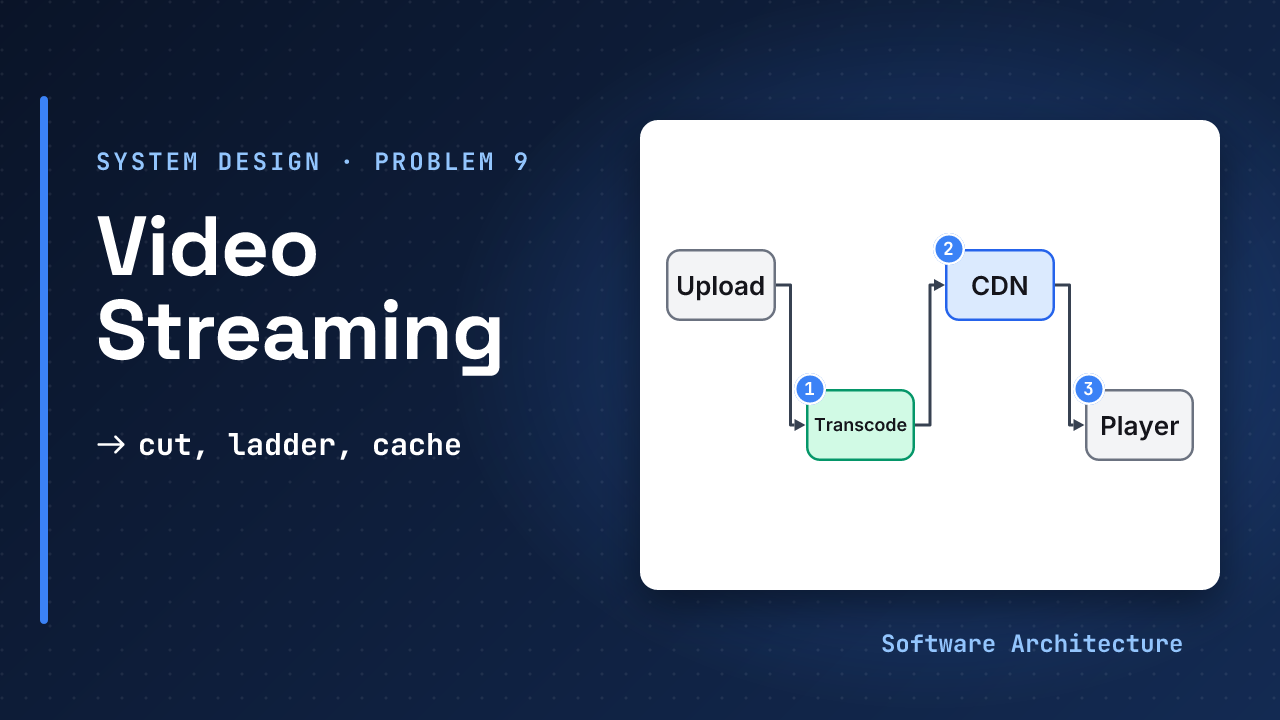
You press play. Within a second or two the picture appears, a little blurry. A few seconds later it sharpens. You walk into a lift and it softens again, but it never stops. It feels like the video is being sent to you.
It is not. A video is a long file, and your connection changes by the second. If the server just sent the file, you would wait, or it would stall. The trick is that the service does not send one file. It sends hundreds of tiny pieces, each chosen to fit the network at that moment.
This lesson builds that system around one rule: cut it, ladder it, cache it. Protection, live video, failure modes and cost sit in the follow-ups lesson.
- The interview framework and estimation primer.
- Design a file storage service, object storage and caching strategies, because chunks, resumable uploads and cached objects come back here.
Why did the file service cut files into chunks and name each by its content? A dropped connection then cost seconds, and unchanged chunks could be reused. Video does the same, with a new reason: a viewer needs a different chunk for each moment of a changing network.
- Cut each video into short segments, and describe them in a manifest so the player can fetch them one by one.
- Encode a ladder of qualities (renditions), and choose codecs by who can play them and what they cost to make.
- One set of CMAF segments with two manifests avoids storing everything twice.
- The player picks each segment’s quality, from smoothed speed, from its buffer, or both.
- Transcode in parallel, as many small jobs that are safe to retry, and publish only when all of them finish.
- Segments never change, so a CDN can cache them for a long time, and delivery dominates the cost.
Design an on-demand video streaming service end to end in 45 minutes: state assumptions and an API, size the load, choose segments, a ladder and codecs, explain adaptive playback, build a parallel transcoding pipeline, and deliver through a CDN.
Step 1: Pin Down the Problem#
Ask these first, and write the answers down. Each answer is an assumption you announce.
| Question | Assume | What it drives |
|---|---|---|
| On demand or live? | On demand. Live is a follow-up. | Segments are made once and cached long |
| Which devices? | Phones, browsers and TVs | Several codecs, HLS and DASH |
| How much is uploaded? | 100,000 hours a day | Storage and transcode compute |
| How much is watched? | 10 million viewers, 1 hour a day, 1.5 Mbit/s | Delivery bandwidth |
| How fast must it start? | First picture in about 2 seconds | First rung and segment length |
| Protected content? | Not here. DRM is a follow-up. | Keys and licence servers |
Functional requirements:
- A creator uploads a video.
- A viewer plays a video, starts quickly, can seek, and gets a quality that fits their network.
- A viewer can pause, resume where they left off, and playback does not stop when the network dips.
Out of scope (say these out loud): live streaming, DRM, recommendations, comments, ads, subtitles and search. A video’s metadata (title, owner, status) is an ordinary database.
Non-functional requirements, each with a number:
- Fast start: first picture within about 2 seconds.
- Smooth: rebuffering, where playback stops to wait, should be rare.
- Durable: an uploaded video is never lost.
- Scale: step 4 turns the assumptions above into numbers.
Step 2: Entities, API and Data#
POST /v1/videos
  header: Idempotency-Key
  body: title, size, type
  -> 201 {videoId, uploadUrl}
POST /v1/videos/{id}/complete
  -> 202 {status: processing}
GET  /v1/videos/{id}
  -> 200 {title, status, duration}
  -> 404 unknown id
GET  /v1/videos/{id}/playback
  -> 200 {manifestUrl, expiresAt}
  -> 403 not allowed
  -> 409 not ready
  -> 429 slow down
PUT  /v1/videos/{id}/progress
  body: positionSeconds
  -> 204
GET  <segment url>  (a CDN)
Four things to say about this contract. Uploads are resumable and idempotent, as in the file storage lesson, so a retry never makes a second video.
The API returns a manifest URL, not video bytes, and segment requests go straight to the CDN with no API call, which keeps the API small. Segment URLs carry a signed token with an expiry, so a link cannot be shared forever (judgement). Lists, such as a channel’s videos, page with a cursor.
A manifest is a small text file that lists the renditions and where their segments are. The player reads it first. The two common formats are HLS and DASH.
videos
  id, owner, status, duration
  status: uploading, processing,
          ready, failed
renditions
  video, rung, codec, bitrate
objects (keys, not rows)
  {video}/{rung}/{n}.m4s
progress (key-value)
  (user, video) -> position
views
  events, counted later
Why this shape (judgement):
- Metadata is small and relational, so a SQL database is fine, split by video id when it outgrows one server.
- Segments are objects in blob storage. Rows for every one would only add cost.
- Resume position is written often and only the last value matters, so a key-value store with last-write-wins fits.
- View counts tolerate being late and approximate, so count events asynchronously.
Step 3: A Design That Works#
Start with the simplest thing. Store one MP4 file and let the server send it. HTTP already supports this: a server that sends Accept-Ranges: bytes can answer a Range request with 206 Partial Content, so a player can start early and seek.
This is correct and cheap to build. It is also where many candidates stop.
Assume the file is a 10 minute video at 6 Mbit a second, and the viewer’s connection is 2 Mbit a second. How long does the whole video take to download, and what does the viewer experience?
Call it 600 × 6 = 3,600 megabits. At 2 megabits a second that is ≈ 1,800 seconds, so the viewer waits about 1,200 seconds beyond the 600 seconds of video. One quality cannot serve a fast phone and a slow one, and it cannot follow a network that changes during playback. The fix is to have more than one quality and to switch between them.
Step 4: Estimate What Matters#
Assume 10M viewers watch
1 hour a day at 1.5 Mbit/s
10M x 3,600 s x 1.5 Mbit
 = 54,000,000,000 Mbit a day
 ≈ 6.75 PB a day
≈ 625 Gbit/s on average
peak x 3 ≈ 1.9 Tbit/s
Streams: 10M x 3,600 / 86,400
 ≈ 417,000 at once on average
 ≈ 1.25M at peak (x 3)
Then the supply side, with the ladder of 0.4, 0.8, 1.5, 3 and 6 Mbit/s (an assumption):
Per hour of video, per rung:
 0.4 → 180 MB   0.8 → 360 MB
 1.5 → 675 MB   3 → 1,350 MB
 6 → 2,700 MB
All five = 5,265 MB ≈ 5.3 GB
100,000 hours uploaded a day
 ≈ 527 TB of renditions a day
 ≈ 192 PB a year
Each line decides something:
- At ≈ 1.9 Tbit/s and 1.25 million streams at peak, delivery is the dominant engineering problem. No origin can do that, so a CDN is not optional.
- An hour of video becomes ≈ 5.3 GB, several times one file. The top rung is half of it, so which rungs a video deserves is a cost decision.
- At an assumed 0.5 core-hours per rendition-hour, transcoding 100,000 hours a day needs ≈ 10,400 cores busy all day. Encoding is a large batch workload.
- 192 PB a year means storage never stops growing. Old, unwatched titles need a cheaper tier.
- These are assumptions for the arithmetic. Measure your own.
Step 5: Deep Dives#
Four questions decide this design. Work through them in this order, or follow the interviewer.
How Does One Video Play on Every Network?#
Chunks again: small pieces that can be fetched, cached and retried on their own. Here each piece also has a quality.
As in step 3: one MP4, seek by byte range.
Encode a few qualities and let the viewer choose 360p or 1080p.
What Does the Ladder Look Like?#
Encode a ladder: several renditions from small and blurry to large and sharp. Apple’s authoring specification lists one possible set for H.264, from 365 kbit/s at 640x360 up to 7,800 kbit/s at 1080p, close to this lesson’s assumed 0.4 to 6 Mbit/s. A fixed ladder wastes bits on simple video and starves complex video, so large services choose rungs per title from test encodes (judgement here, no number).
Cut each rendition into short segments. FFmpeg’s HLS muxer cuts a segment at the next keyframe after hls_time (2 seconds by default) and its docs say to use a closed GOP sized to the segment time. Apple asks for a keyframe every 2 seconds.
| Segment length | Objects per hour, 5 rungs | Behaviour |
|---|---|---|
| 2 s | 1,800 × 5 = 9,000 | Quick to switch and start, more requests |
| 6 s | 600 × 5 = 3,000 | One third the objects, slower to react. Apple’s recommended target |
Which Codec Fills the Ladder?#
A codec decides how many bits a picture costs and which devices can play it. MDN’s codec guide gives the shape of the trade:
| Codec | Strength | Cost |
|---|---|---|
| H.264 (AVC) | Plays in all major browsers, many devices encode and decode it in hardware | Patent-covered, commercial use needs a licence |
| HEVC (H.265) | Theoretically half the size of AVC at similar quality | Patent-covered, support varies by browser and device |
| AV1 | Up to 50% better compression than AVC, royalty-free | Safari plays it only on devices with a hardware decoder |
- Size effect. In Apple’s example ladder, 1080p is 6,000 kbit/s for H.264 and 4,500 for HEVC.
- Licence. MDN calls AV1 fully royalty-free, and AOMedia’s patent licence is royalty-free and irrevocable, with a defensive-termination clause.
- Usual answer (judgement). Keep an H.264 ladder for everyone, and add AV1 or HEVC rungs for devices that decode them, starting with popular titles, because a better codec costs more CPU to make. The follow-ups lesson works out the break-even.
What Do HLS, DASH and CMAF Add?#
HLS (RFC 8216) and DASH both describe segments in a manifest, but with different files. CMAF is a shared segment container, so one set of segments can serve both. DASH-IF’s guidance covers content protection for CMAF in DASH, and Apple requires fragmented MP4 for HEVC and AV1 in HLS.
Package once, write two small manifests, and the CDN caches the same files for every player. In HLS each variant lists BANDWIDTH, its peak segment bit rate, which the player compares with its speed estimate.
How Does the Player Choose a Quality?#
The player is a feedback loop: measure, smooth, decide. Smoothing is the same idea as the adaptive delay in a polite crawler.
After each segment, pick the highest rendition at or below the speed that segment just arrived at.
hls.js’s adaptive bitrate logic smooths the loading speed with two exponential moving averages, a fast one to adapt quickly to a drop and a slow one to avoid ramping up too quickly. Its API docs list defaults of a 3 second fast and 9 second slow half-life, a factor of 0.95 for staying or dropping and 0.7 for switching up. Before any sample exists it assumes 500,000 bits a second, so the first segment comes from a low rendition.
Speed is hard to predict, so look at the buffer instead. Netflix and Stanford researchers tested a buffer-based player on millions of real users: it picks the video rate from the current buffer level and uses a speed estimate only at start up, when the buffer is empty. It cut the rebuffer rate by 10 to 20 percent against Netflix’s then-default algorithm, with a similar average video rate. BOLA turns the same idea into a utility problem that needs no bandwidth prediction, and an updated version ships in the dash.js reference player.
What Guards Protect an Almost Empty Buffer?#
Add three guards:
- A buffer goal keeps video ahead of the playhead. In Shaka Player,
bufferingGoalis how much it tries to buffer andrebufferingGoalis how much must be buffered before playing, and the second should be smaller. - An emergency abort protects an almost empty buffer. hls.js aborts the current download when fewer than 2 fragments are buffered and it would finish after the buffer runs out.
- A size cap avoids waste.
capLevelToPlayerSizelimits the quality to the player element’s size, so a thumbnail does not get 4K.
A bigger buffer hides dips but delays the start and wastes bytes if the viewer leaves.
What Does Smoothing Cost?#
A toy test, built on 200 random 10 minute network traces, the ladder above, 2 second segments and a 10 second buffer goal:
Last sample:
  13.9 s stalled, 53 switches,
  avg 2.49 Mbit/s
Two averages:
  10.5 s stalled, 16 switches,
  avg 1.07 Mbit/s
The smoothed player switches far less and stalls a little less, but runs at ≈ 43 percent of the average bitrate. That is a design choice, not a free win. The traces and rules are assumed, so read the shape, not the numbers.
How Do You Transcode at This Scale?#
A job queue with retries and expiry. Encoding is the same shape: many independent jobs, some of which fail and must be repeated safely.
A worker takes the upload and encodes every rendition in turn.
Split the upload at keyframe boundaries into chunks, and run one job per chunk per rendition. Facebook’s SVE paper describes this: it chunks videos along GOP boundaries, processes each chunk on a large cluster, and overlaps upload with encoding, which cut the time from upload end to shareable by 2.3 to 9.3 times against its earlier single script. Chunk size is a trade: larger chunks compress better, smaller ones parallelise more.
Worked example: a two hour film in 1-minute chunks is 120 chunks, so 600 jobs for five renditions. At the assumed 0.5 core-hours per rendition-hour, each job is 30 core-seconds, 5 core-hours in total. On 600 cores that is under a minute plus overhead, against 5 hours on one core.
How Do You Keep Jobs Safe to Repeat?#
Make each job safe to repeat. Give segments fixed names, so a retry overwrites the same object. SVE retries a failed task twice on the same worker, then reschedules it on other workers up to six times, so one task can run as many as 21 times, and it keeps a high-priority and a low-priority queue. Borrow both ideas: priority lanes, as in the notification lesson, so a new upload goes ahead of a backfill. Stage the cost: encode a few renditions first so the video is playable, and add the expensive ones, such as the highest bitrates or newer codecs, only once the video proves popular.
How Do You Deliver It to Millions?#
Origin storage holds everything cheaply. Delivery is a separate problem: getting the bytes to the viewer from somewhere nearby.
Players fetch segments straight from origin storage.
Segments are small and never change, which is ideal for caching. MDN notes that shared caches store one response and reuse it for many users, and that the immutable directive says a response will not be updated while fresh. Put a version or hash in the URL and never change the resource. Give segments a long max-age and immutable. Give manifests a short one, because a manifest can change while a segment cannot.
At an assumed 95% hit rate, the origin serves 5% of 1.9 Tbit/s, about 94 Gbit/s.
What Do the Largest Services Do?#
The largest services go one step further. Netflix’s Open Connect places caches inside internet providers’ networks: the appliances are free to qualifying providers, who supply power, space and connectivity. They report health, routes and the files they hold to a control plane. When a viewer presses play, a steering service picks the best caches and hands the player their URLs.
Most content is pushed in off-peak fill windows, because viewing is predictable, and popularity algorithms limit churn. One storage appliance is listed at about 200 Gbps and up to 120 TB, so 1.9 Tbit/s is roughly ten boxes at line rate, before headroom and spread over many sites (illustrative arithmetic).
What If a CDN Fails?#
Players should also retry failed segment requests with growing, randomised waits and switch to a second CDN after repeated failures. Shaka’s example uses a 1 second base delay, a factor of 2 and a fuzz factor of 0.5, and hls.js’s design notes recommend short burst retries of 0.5 to 4 seconds and switching to a different CDN on a fatal error. The follow-ups lesson covers what else fails, and a premiere stampede.
Cut it, ladder it, cache it. Cut the video into small segments, encode a ladder of qualities so something fits every network, and cache the segments close to viewers. The player, not the server, picks the quality.
The Final Design in One Picture#
Follow one video from upload to play:
- The creator uploads the file with a resumable upload. The original is stored and the video is marked “processing”.
- The file is split at keyframe boundaries. Encode jobs, one per chunk per rendition, run in parallel and retry on their own.
- When all jobs finish, CMAF segments and the manifests are written to origin storage and the video is marked “ready”.
- A viewer presses play. The API checks access and returns a manifest URL. The player fetches the manifest, then the first segment from a low rendition, because it has no speed sample yet.
- The player picks the next rendition from its buffer and smoothed speed. A nearly empty buffer triggers an abort and a drop.
- Segments come from a nearby cache. A failing CDN is retried with backoff, then replaced by a second one.
What Each Level Should Show#
| Level | Expected in the room |
|---|---|
| Mid-level | Upload, transcode, store, and a CDN. May need a hint about several qualities and segments. |
| Senior | Clarifying questions and numbers, a bitrate ladder with segments and a manifest, adaptive bitrate, parallel transcoding with retries, CDN caching with long max-age on segments, a codec trade-off. |
| Staff+ | Buffer-based versus throughput ABR, staged renditions and cost, origin shielding and ISP caches, switching between CDNs, and the production topics in the follow-ups lesson: DRM, live, QoE targets, premiere stampedes, piracy. |
Red Flags and Green Flags#
“Store the video in S3 and serve it through a CDN.” One file, one quality, nothing about a slow viewer, encoding, or what the player does when the network drops.
“I’ll encode a ladder of renditions, cut them into short CMAF segments with HLS and DASH manifests, transcode in parallel with retryable jobs, and serve segments from a CDN. The player picks each segment’s quality from its buffer and a smoothed speed estimate.”
Spending the time on the upload and the database and treating playback as “just a CDN”. The interviewer is waiting for segments, renditions and how the player adapts.
Try It: Adding a 4K Rendition#
Change one variable. Product wants a 16 Mbit/s 4K rendition added to the ladder. Assume 100,000 hours are uploaded a day, and the current five renditions take about 5.3 GB an hour.
- How much storage does the new rendition add per hour, and per day?
- What would you do instead of encoding it for every video?
Hint
Convert 16 megabits a second over an hour to gigabytes, then compare with the existing 5.3 GB.
One reasonable answer
16 Mbit/s x 3,600 s
  = 57,600 Mbit
  = 7,200 MB = 7.2 GB / hour
x 100,000 h = 720 TB a day
The new rendition adds 7.2 GB an hour, about 137 percent on top of 5.3 GB, and about 720 TB a day at the assumed upload volume.
Encoding it for every video is wasteful, because most videos are never watched in 4K and many were not shot in it. Encode 4K only when the source is 4K, and only after a video proves popular, using the staged approach.
Cap playback by player size so small screens never ask for it, and watch the storage curve before approving the change.
Expect the follow-ups in this order: “What if the viewer’s network is slower than the file?”, “How does the player choose a quality?”, “How do you transcode this many hours?”, and “How do you serve 2 terabits a second?” Each one maps to a deep dive above. Finish each answer with a trade-off and a number.
Check Yourself#
1.Why encode several renditions and cut each into segments?
One file has one quality, so a slow network stalls it. Renditions give a quality for each network, and segments let the player change rendition at every boundary and fetch only what it needs.
2.The speed measurement jumps from 5 Mbit/s to 1 Mbit/s for one segment. How do a smoothed player and a buffer-based player each react?
A smoothed player averages the measurement with a fast and a slow moving average, so one slow segment does not decide the quality. A buffer-based player ignores the single sample and drops only if the buffer actually falls towards the reservoir. An almost empty buffer is also handled by an emergency abort.
3.One transcoding job fails after writing half its segments. What keeps the video correct?
Jobs are idempotent: segment names are fixed, so the retry overwrites the same objects. The video is published only when every job has finished, so viewers never see a half-built video.
4.Why can segments be cached for a long time but manifests cannot?
A segment never changes, so it can carry a long max-age and the immutable directive, with a hash or version in its URL. A manifest can change, for example when renditions are added, so it needs a short lifetime.
Tomorrow, narrate a video’s life aloud in two minutes: upload, split, encode, package, cache, play. Then answer “what changes if segments are 6 seconds?” with one benefit and one cost.
In One Picture#
Requirements
  upload, play fast, adapt, seek
Scale
  ≈ 1.9 Tbit/s · 10,400 cores
Ladder
  5 renditions, H.264 + AV1
Package
  CMAF once, HLS + DASH
Player
  buffer, smooth, abort, drop
Transcode
  chunks x renditions, retry
Deliver
  CDN, long max-age, 2nd CDN
Rule
cut it, ladder it, cache itConclusion#
A video streaming service turns one big file into thousands of small, cacheable pieces in several qualities, and lets the player choose among them as the network changes. Cut the video into segments, encode a ladder, transcode in parallel with jobs that are safe to retry, and serve the segments from a CDN. Small unchanging pieces plus a client that decides will serve any system that must reach people over unreliable networks.
Which would you defend first in an interview: the ladder, the player or the CDN? Tell us in the comments.
- Production depth: DRM, live, QoE, failure modes and cost.
- Chunks and resumable uploads: design a file storage service.
- Caches close to users: the object storage lesson and caching strategies.
- Next in Module 4: a ride-sharing service, where the data is moving and the answer must be near and now.