You keep seeing “MCP” on every release note this month, and nobody has told you in plain terms what an MCP server actually is or why you would run one. Here is the whole thing in ten minutes.
I had the same problem at the start of the year. Every AI tool I picked up — Claude Desktop, my editor, a half-finished agent — suddenly listed “MCP support” as a headline feature. I nodded along without really getting it. So I sat down, read the spec, and built a couple of servers myself. This guide is the explanation I wish someone had handed me first.
By the end you will understand what an MCP server is and how it differs from just calling an API. You will also know why people call it “USB-C for AI tools,” and whether it is worth adopting right now. This is the decision-maker’s version — just enough mechanism to make the calls yourself, no code dump.
- An MCP server is a standard adapter: it exposes one capability (data, files, an API) so any MCP-aware AI host can use it without per-model glue code.
- MCP doesn’t replace your API — it standardises how a model discovers and calls it, turning a many-to-many integration mess into a one-to-one contract.
- The real payoff is model portability: build the tool layer once, then swap the underlying model with zero changes.
- Adopt it for breadth, not depth — worth it past ~3 integrations or when you expect to switch models; overkill for one feature calling one API. Treat OAuth 2.1 auth as part of the build.
What an MCP Server Actually Is#
MCP stands for Model Context Protocol — an open standard for connecting AI models to external tools and data in a uniform way. An MCP server is a small program that exposes one capability through that standard. That capability might be your database, your files, or a SaaS API. Any MCP-aware AI app can then use it without custom glue code.
The protocol has three roles. The host is the AI app the model runs inside, such as Claude Desktop, an AI-enabled IDE, or your own agent. Inside the host sits an MCP client, which holds a connection to a server. The server is the program that exposes the capability. The diagram below shows how they line up.
A server exposes its capability through three primitives. Tools are actions the model can run, like “create a calendar event.” Resources are read-only data the model can pull in, like a file or a database schema. Prompts are reusable templates that guide how the model uses the rest. Host and server talk over JSON-RPC, a simple request–response format. That lets the model discover what a server offers at runtime, instead of having every tool hard-coded.
MCP vs a Normal API — Why a Standard Layer Matters#
Here is the question I get most: if my tool already has a REST API, why wrap it in MCP? The honest answer is that MCP does not replace your API. It standardises how a model discovers and calls it.
With a plain REST API, you write a bespoke adapter for every model. That means prompt formatting, function schemas, auth handling, and response parsing — repeated per integration. Swap the model and you rewrite the adapter. MCP turns that many-to-many mess into a one-to-one contract. One client speaks one protocol to any server.
| Plain REST API | Vendor plugin | MCP server | |
|---|---|---|---|
| Built for | Any software client | One AI platform | Any MCP-aware AI host |
| Tool discovery | Manual, hard-coded | Platform-specific | Automatic, at runtime |
| Reuse across models | Rewrite per model | Locked to one vendor | Write once, reuse everywhere |
| Who maintains the adapter | You, per integration | The platform | The protocol |
The practical payoff is reuse. The first time I moved an internal tool behind MCP, I deleted more code than I added. All the model-specific plumbing just went away.
The “USB-C for Tools” Payoff: Model Portability#
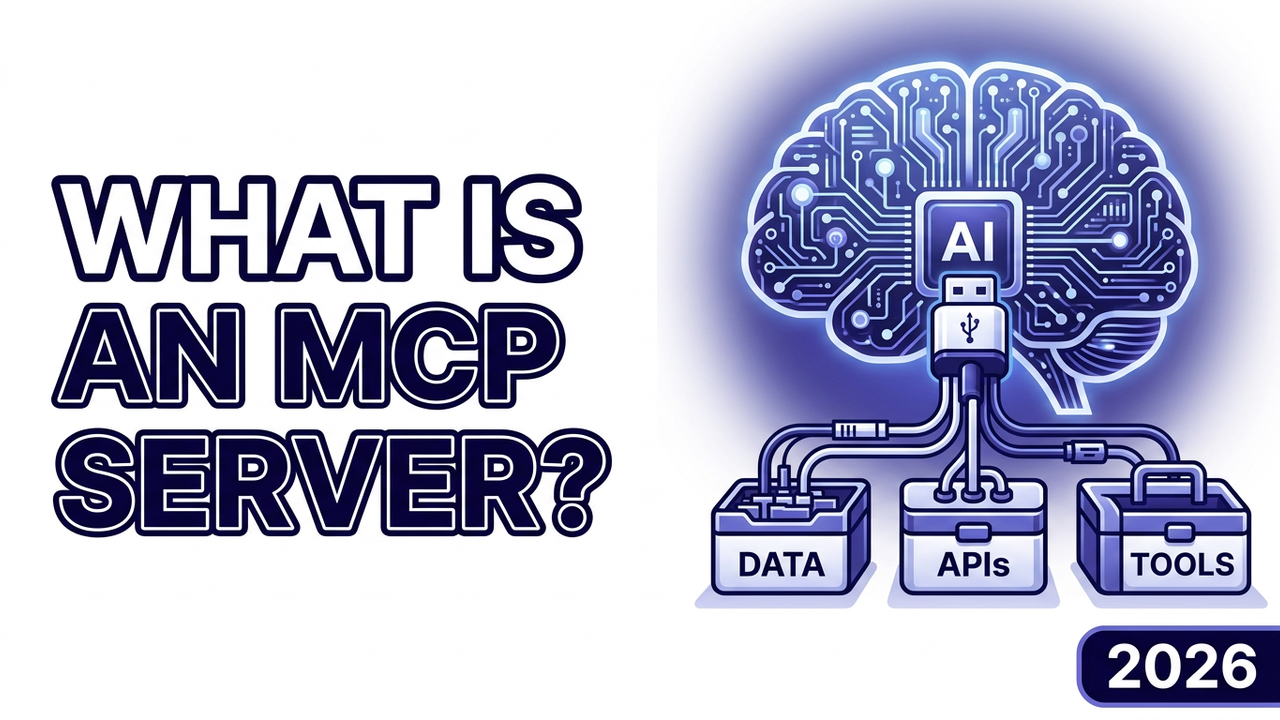
The analogy that finally made it click for me: an MCP server is a USB-C port for AI tools. The cable does not care whether you plug in a laptop or a phone. An MCP server does not care which model is on the other end.
That is the real selling point — model portability. Because the tool layer is standard, the model behind the host becomes swappable. A developer I follow described building a few servers, then “swapping Claude for GPT underneath took zero changes to the tool layer.” I have seen the same thing in my own projects. You build the integration once. After that you are free to chase whichever model is cheapest or best that month, without rewriting anything underneath.
This matters more in 2026 than it did a year ago. The major model vendors now agree on the standard, rather than each pushing a proprietary plugin format. That agreement is what makes the portability real instead of theoretical.
What Changed in 2026#
For most of 2025, MCP was a promising Anthropic project. Three things turned it into the default this year, and they explain why your changelogs are suddenly full of it.
Governance went neutral. In December 2025, Anthropic donated MCP to the new Agentic AI Foundation under the Linux Foundation, alongside Block’s goose and OpenAI’s AGENTS.md as the founding projects. Its platinum members include Anthropic, OpenAI, Google, Microsoft, AWS, Bloomberg, Cloudflare, and Block. When competitors co-govern a standard, it stops being one company’s bet.
The big clouds shipped managed servers. The AWS MCP Server reached general availability in 2026. It gives agents authenticated, auditable access to AWS services through MCP. Managed offerings like this move MCP from “weekend hack” to “thing you can run in production.”
The protocol matured. The upcoming 2026-07-28 release candidate is the largest revision since launch. It adds a stateless core that scales on ordinary HTTP, extensions for server-rendered UIs and long-running tasks, and authorization aligned with OAuth and OpenID Connect. MCP grew up around real production concerns this year, not just demos.
MCP replaces N×M custom integrations with one standard interface — write a tool once, and any MCP-aware client can use it. That portability is the whole reason to care, not the protocol details.
Should You Adopt It Yet?#
MCP is worth adopting now if you are building AI features that touch more than one or two external systems. It also helps if you want to keep your model choice open. The reuse and portability genuinely pay off, and the ecosystem is no longer a moving target you have to chase weekly.
As a rough rule, I reach for the protocol once a project needs three or more integrations, or once I expect to switch models within the year — below that threshold, the extra abstraction layer rarely earns its keep.
It is probably overkill if you have a single AI feature calling a single internal API. In that case a direct function call is simpler. Wrapping it in a protocol adds a layer you do not need yet. Adopt MCP for breadth, not for one-off depth.
One honest caveat: remote servers introduce real security surface. An audit of production deployments found a large share shipping with no authentication at all. The standard now expects OAuth 2.1 for remote servers. So if you do adopt MCP, treat auth as part of the build, not an afterthought.
The Bottom Line#
An MCP server is a standard adapter. It lets any AI host use your tools and data without custom per-model code. In 2026, with neutral governance, managed cloud offerings, and a maturing spec, it has become the default way to give models real capabilities. If you are building anything agent-shaped, learning MCP now is a safe bet.
The fastest way in is to read the official architecture overview, wrap one small internal tool, and point your editor at it — an afternoon of tinkering is usually enough to see the payoff firsthand.
What is the first tool you would give an agent through MCP — your calendar, your codebase, or your database? Tell me in the comments. I am collecting the most common answers for a follow-up.
Related: What Are AI Agents? Complete Guide for Developers (2026) explains the agents that consume these servers. Ready to build one? Read next: Build an MCP Server in Python: Production-Ready in 2026.
