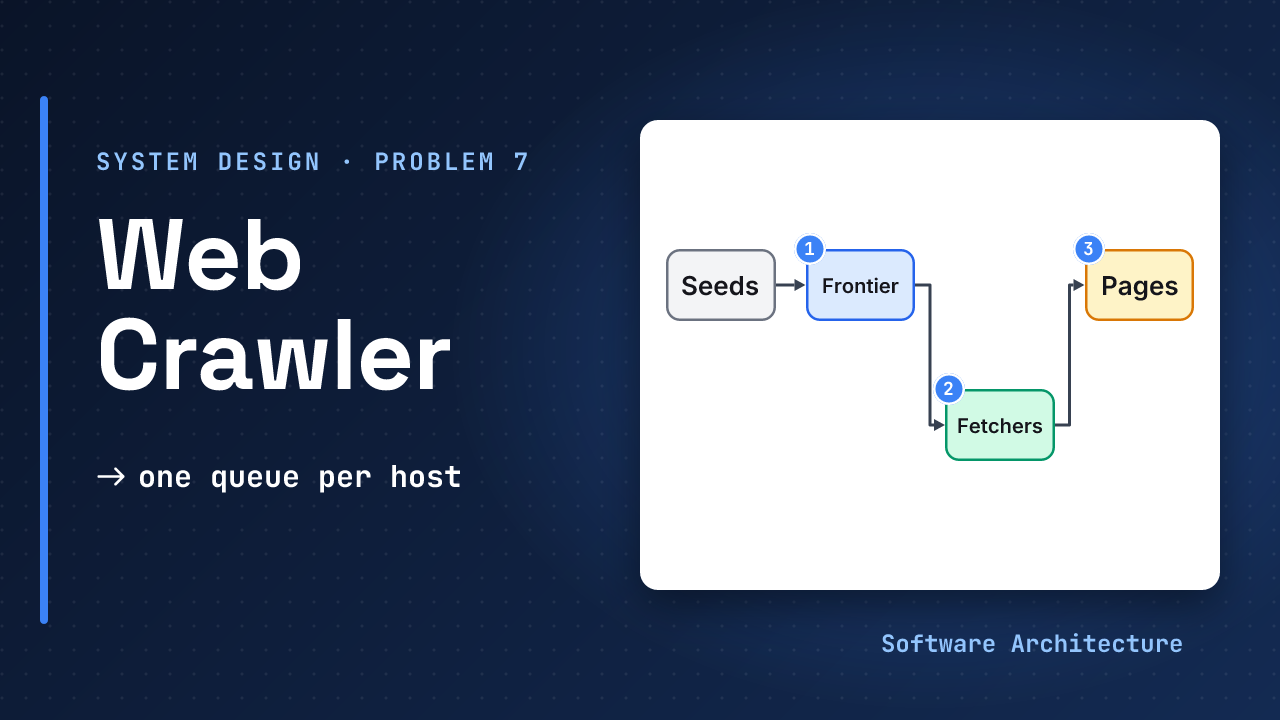
The interviewer writes “Design a web crawler” on the board. The candidate draws the obvious loop: take a URL from a queue, download the page, pull out the links, add them to the queue, repeat. It is a good diagram and it works on a laptop.
Then the questions begin. “What does one website think of you hitting it a thousand times a second?” “What if two pages link to each other forever?” “What if the machine dies on day three of ten?” Those three are the whole problem. One rule answers them: one queue per host, remember what you have seen, and lease every fetch.
- The interview framework and estimation primer.
- Design a rate limiter, spreading keys evenly and design a file storage service, because politeness, spreading hosts across machines and naming pages by hash all return here.
A rate limiter keeps a small record per client and says “not yet” when the client is too fast. A crawler needs the same thing in the other direction. Here the crawler is the client, and each website is a server it must not overload.
- A crawler’s real limit is how fast each website will tolerate, not how fast you can fetch.
- Keep one queue per host with its own delay, and let a scheduler pick only hosts that are ready.
- Remember every URL you have seen, normalise them first, and cap depth so traps end.
- Lease each URL to a fetcher, so a crash delays work instead of losing it.
- Re-fetch with conditional requests, so an unchanged page costs a request and not a download.
Design a web crawler end to end in 45 minutes: build a polite frontier, deduplicate URLs at scale, survive crashes with leases and saved state, and keep pages fresh.
Step 1: Pin Down the Problem#
Ask five questions, and say your assumed answer to each:
- Purpose? A general crawl that feeds a search index later.
- Scope? The open web, HTML pages, starting from seed URLs.
- Freshness? Hours for news-like pages, weeks for the rest.
- Identity? The crawler names itself with a user agent and contact address, and obeys robots.txt.
- Failure budget? Missing a few pages is fine. Hitting one site in a burst is not.
Functional requirements:
- Start from a list of seed URLs.
- Download each page, extract its text and links, and follow the links.
- Store the pages for a later stage, such as indexing.
- Revisit pages so the stored copy stays reasonably fresh.
Out of scope (say these out loud):
- Ranking and indexing the pages, content behind logins, and images or video.
- Rendering pages that need JavaScript (the follow-ups cover it) and the legal rules for using the data.
Non-functional requirements, each with a number. These are assumptions you announce:
- Polite: never overload any one website, and obey its robots.txt rules.
- Scalable: assume 1 billion pages in 30 days. Step 4 turns that into numbers.
- Reliable: survive crashes without losing work and without fetching pages twice.
- Safe and observable: never fetch internal addresses, and show per-host errors and lag.
Step 2: Entities and API#
URL     url, host, depth,
        status, not_before
Host    name, delay,
        robots rules
Page    url, content_hash,
        fetched_at, etag

POST /crawls  seeds, limits
  -> 202 + crawl_id
GET /crawls/{id}  counts, state
GET /crawls/{id}/pages?cursor=

frontier.get(n, lease_s)
  -> urls + lease_id
frontier.report(lease_id, url,
  code, retry_at, links[])
store.put(hash, page)
Operators use the small public API above; the rest is internal. report and store.put are idempotent, so a retried call changes nothing.
Responses sort by code: a redirect counts as one hop (cap the chain), most 4xx are permanent, and 429, 5xx and timeouts retry with backoff, honouring a Retry-After header when the site sends one. The frontier calls mirror a real project: the URL Frontier API lets a crawler get the next URLs, update URLs already processed, and change the crawl rate for a hostname.
Where Does Each Thing Live?#
These are design choices, picked from the access pattern:
| Data | Access pattern | Store |
|---|---|---|
| Host queues, next-allowed time | pop a ready host, push a URL | memory on one shard, plus a disk log |
| URL state (status, not_before, ETag, hash) | point read or write by URL hash | sharded key-value store |
| Seen filter | one bit test per link | Bloom filter per shard, rebuilt from URL state |
| Raw pages | write once, read by parser | object store, keyed by content hash |
| Robots rules, DNS | read on every fetch | per-host cache, refreshed daily |
Step 3: A Design That Works#
Start with the loop from the hook. One queue, one process: take a URL, fetch it, parse the links, add the ones not seen before.
Assume one website has 10 million pages and you are polite enough to fetch one page a second from it. How long does that site take, and what does that say about the design?
Call it 10,000,000 seconds, about 116 days (10,000,000 ÷ 86,400). More machines cannot lower that floor: the limit is the host’s patience. The only way to crawl fast is to fetch from many hosts at once, which one FIFO queue cannot do politely. A crash would also lose the queue and the seen list.
Step 4: Estimate What Matters#
Assume 1B pages in 30 days
(2,592,000 s)

Pages: ≈ 390/s
Bandwidth: 390 x 100 KB
  ≈ 39 MB/s, 100 TB a month
In flight: 390 x 0.5 s
  ≈ 195 requests
Then the two numbers that shape the design. Assume each fetched page reveals about 10 URLs the crawler has not fetched, so the seen set must hold about 10 billion.
Hosts at once: 390 / (1/s)
  ≥ 390 different hosts
Seen 10B URLs (10 per page):
  Bloom 1%: ≈ 12 GB
  Exact (100 B each): ≈ 1 TB
Each line decides something. 39 MB a second and 195 requests in flight are modest: a few machines handle them. At one page a second per host, you must keep at least 390 hosts active at all times, which is why the frontier is organised by host. Remembering 10 billion URLs exactly takes about 1 TB at an assumed 100 bytes each; an approximate structure cuts that to ≈ 12 GB, at a cost covered in deep dive 2.
Three more numbers, each with its consequence:
Peak (assume 2x): ≈ 780/s
Raw storage: 100 TB a month
  ≈ 1.2 PB a year, or ≈ 400 TB
  at an assumed 3:1 compression
URL records: 1B x 500 B (assumed)
  ≈ 500 GB
Peak sizes the fetcher pool, not the average. Raw pages need an object store with a retention rule; the URL records (≈ 500 GB) need a sharded key-value store.
Sanity check against a real crawl. Common Crawl’s October 2026 archive holds 2.16 billion pages, 371.19 TiB uncompressed, crawled between 5 and 18 October, from 41.4 million hosts. That averages about 1,800 pages a second and 189 KB a page (derived). So 390 pages a second is a fifth of that rate, and our 100 KB page is half the observed size (at 189 KB, bandwidth is ≈ 74 MB/s). The shape holds; the constants move.
Step 5: Deep Dives#
Four questions decide this design. Take them in sequence, and adjust if the interviewer jumps ahead.
How Do You Choose the Next URL Without Annoying Anyone?#
Politeness is a rate limit on yourself, applied per website. The token bucket idea carries over directly.
All URLs go into one first-in, first-out queue.
Give every host its own queue and a next-allowed time. The URL Frontier API works this way: queues are keyed by a client-chosen string, the hostname by default, and fetching returns URLs that are ready while limiting how many come from each queue and how long until they may be returned again. Scrapy exposes the same knobs: a minimum wait between requests to one domain and a cap on simultaneous requests per domain. A scheduler rotates over hosts and skips those not ready.
Can the Delay Adapt?#
Set each host’s delay from how it behaves, not from a constant. Scrapy’s AutoThrottle uses latency divided by a target concurrency N: the next delay is the average of the previous delay and that target, and a non-200 response is not allowed to shrink the delay. As an example, a 0.5 s latency with N = 2 gives a target delay of 0.5 ÷ 2 = 0.25 s. The reason: with a small fixed delay, errors come back faster than normal responses, so the crawler would speed up exactly when the site is struggling.
Which URL Goes First?#
Politeness decides when a host may be fetched. Priority decides which URL gets that slot. A common split: a priority score (importance, change rate) orders each host’s queue, and the queue still enforces the delay. In the URL Frontier API, URLs within a queue are sorted by their refetchable-from date, and a client can set that value to prioritise URLs.
What Does the Frontier Look Like?#
What Do robots.txt Rules Add?#
Before fetching any URL from a host, check that host’s robots.txt. After about 25 years as a de-facto convention, parsed slightly differently by each implementation, the rules became RFC 9309 in September 2022. Use a well-tested parser, such as Google’s; do not write your own.
RFC 9309 also answers the usual follow-ups:
- Cache time: do not use a cached copy for more than 24 hours, unless the file is unreachable.
- Size: parse at least the first 500 KiB of the file.
- Missing file (4xx): the crawler may access any URL on the site. Google makes an exception for 429, which it does not treat as a missing file.
- Server error (5xx): assume the whole site is disallowed. Google stops crawling for the first 12 hours, then uses its last good copy for up to 30 days.
Crawl-delay is not part of the standard, and Google’s crawlers ignore it. If you honour it, treat it as a floor under the host’s delay. A Sitemap: line points to a sitemap of up to 50,000 URLs and 50 MB uncompressed, each with an optional last-modified date: cheap seeds and recrawl hints. Its change frequency is only a hint.
What About DNS?#
Every fetch needs the host’s IP address first, and a slow resolver stalls ready fetchers. Cache the answer per host, next to its queue and robots rules. Scrapy, for example, keeps an in-memory DNS cache, on by default.
How Do You Avoid Visiting a Page Twice?#
A hash turns any string into a short, fixed-size key. A seen-URL check is a set of such keys.
First, normalise. Two spellings of one address must become one key, for example by lowercasing the host and removing the fragment. The exact rules are a design choice, so write them down early. Filter there too: drop schemes and file types you will not fetch, and cap URL length (Scrapy’s URL length limit is a stopping condition for ever-growing URLs) and response size.
Keep every seen URL in a set, and check it before queueing.
Can You Afford to Remember Everything?#
A Bloom filter checks membership in a small, fixed space. Redis documents that a negative answer is certain but one out of every N positive answers will be wrong, and that at a 1% error rate it needs 9.585 bits per item. For 10 billion URLs that is 10,000,000,000 × 9.585 bits ≈ 96 gigabits, about 12 GB. At 0.1% (14.378 bits) it is about 18 GB.
Use the Bloom filter as a fast first check: its “not seen” answer is certain, so a new URL is queued with no disk read. Confirm a “probably seen” answer against a disk-backed exact set when a missed page would matter. Add limits for crawl traps, such as a calendar that links to the next month forever: Scrapy has a depth limit, the maximum depth allowed for any site, and the URL Frontier API lets a client set a crawl limit on a queue.
Cap redirect hops and URLs per host as well. Different URLs can also hold the same content, so hash the page body and store a page once, as in the file storage lesson. Pages that are only almost the same, and the other trap shapes, are in the follow-up lesson.
What Does the Dedupe Path Look Like?#
How Do You Survive Crashes?#
A fetcher can fail after taking a URL and before finishing it. Like an unacknowledged message, the work must come back.
The fetcher pops a URL and works on it.
Hand URLs out with a time limit. In the URL Frontier API, returned URLs stay “in transit” until the crawler reports on them or a delay passes, which stops URLs being in limbo if the client crashes. When the crawler reports back, it can mark a URL done, schedule a retry with a “refetchable from” date (for example after a transient error), or send newly found links, which are added only if unknown. Back off on each retry and give up after a few attempts, or one dead site keeps coming back forever.
Assign each host to one fetcher, by sharding on the host name, as in the consistent hashing lesson (what is consistent hashing?). A host’s delay, robots rules and queue then live in one place, with no shared lock. Persist the queues and the seen set so a stopped crawl resumes: Scrapy’s job directory keeps the scheduler’s requests, the visited-request filter and spider state on disk.
How Do the Pieces Fit?#
Keep fetching and parsing as separate stages, and store the raw page first. A parser bug is then fixed by re-parsing stored pages, not by fetching them again from sites that limit you.
How Do You Keep Pages Fresh?#
A stored page is a cached copy of a page that keeps changing. The question is how often to check it, and how cheaply.
Every page is fetched again every so many days.
Each URL carries a “not before” time. The URL Frontier API supports this with a refetchable-from date that puts a URL back in its queue when the delay has passed. Shorten the interval for pages that changed last time and lengthen it for pages that did not. That rule is a design choice you can tune.
Store each page’s validator, the ETag or last-modified date, and send it back on the next fetch. If the page is unchanged the server answers 304 Not Modified and no body, and the MDN guide notes this is more efficient than sending the whole resource again. As an example, if 70% of pages were unchanged, answering them with 304 would save about 70% × 39 MB/s ≈ 27 MB/s of body bytes. Google’s crawlers support both validators and prefer the ETag when both are present. Compare the content hash too, because some servers send a new validator for an unchanged page.
The Final Design in One Picture#
Follow one URL: a link is normalised and checked against the seen filter, then joins its host’s queue. When the host is ready, the scheduler leases it to the fetcher that owns the host. The fetcher checks cached robots.txt and DNS, downloads (with the stored validator), and the parser stores the page by content hash and sends links back. The lease ends with a report, and queues and the seen set are saved so a restart resumes.
What Comes Next: Production and Follow-Ups#
The core answer ends with the final design. Web Crawler Follow-Ups: Failure Modes, Near-Duplicates and Security (2026) covers what comes after:
| Topic | Where to look there |
|---|---|
| Failures | Each box dying, and the one rule to keep strict |
| Safety and operations | SimHash, SSRF, bot identity, monitoring, cost |
| Rehearsal | Follow-up questions and the 45-minute plan |
What Each Level Should Show#
| Level | Expected in the room |
|---|---|
| Mid-level | The fetch loop, a queue, a set of seen URLs, a mention of robots.txt, a rough number. Needs a hint about politeness. |
| Senior | A queue per host with delays, robots.txt caching, DNS caching, a Bloom filter with its error trade-off, leases, depth limits, sharding by host. |
| Staff+ | Adaptive throttling, priority versus politeness, recrawl scheduling and conditional requests, crawl traps, content-hash and SimHash dedupe, resumable state, failure of each box, safety (SSRF, bot identity), what to monitor (errors and delay per host, oldest ready URL), cost, and what to build first. |
Red Flags and Green Flags#
“Put URLs in Kafka and run many workers that fetch them.” Nothing about hitting one site too hard, seen pages, or a worker dying mid-fetch.
“The limit is each host, so I’ll keep a queue and a delay per host and only fetch from hosts that are ready. I’ll remember seen URLs with a Bloom filter, lease each fetch so a crash only delays it, and recrawl with conditional requests.”
More red flags: no numbers, or numbers that change nothing in the design; “exactly once” with no idempotency; sharding by URL, so one host is hit from many machines; ignoring 429s and robots.txt errors; a Bloom filter with no error trade-off.
More green flags: states assumptions first; ties each number to a decision; kills a component unprompted and says what happens; names what they would not build yet.
Describing an enormous parallel fetch and never mentioning that websites have limits. The interviewer is waiting for politeness, loops and failure.
Try It: One Huge Site#
Change one variable. Assume one important site has 5 million pages, and its robots rules and your politeness policy give a 2 second delay between requests.
- How long does the site take to crawl?
- Can more fetchers help?
- What do you change?
Hint
Multiply pages by the delay, then ask whether a second fetcher is allowed to add requests to the same host.
One reasonable answer
5,000,000 x 2 s
  = 10,000,000 s
  ≈ 116 days
About 116 days, and more fetchers cannot help, because the delay applies to the host. Prioritise the pages that matter, set a crawl limit on that host, skip low-value URL patterns, and use conditional requests on the second pass. If the site matters, ask its owner for a data feed or a higher limit.
Check Yourself#
1.Why keep a queue per host instead of one global queue?
Politeness is per host. A global queue hits one site in a burst; separate queues with their own delays let a scheduler fetch only from ready hosts.
2.A Bloom filter says a URL has been seen, but it is new. What happens, and what can you do about it?
The page is never crawled, because some positive answers are wrong. Pick a lower error rate (more memory) or confirm “seen” answers against an exact disk-backed set.
3.A fetcher dies with 500 URLs leased to it. What happens to them?
The leases expire and the URLs return to their queues. They are delayed, not lost, and storing a page must be safe to repeat because a slow fetcher may finish anyway.
4.What does a 304 Not Modified response save?
The body. The server found the validator unchanged, so the crawler keeps its stored copy. It still costs a request, which counts toward the host’s politeness limit.
5.What would change if a host's robots.txt started returning 503?
RFC 9309 treats a 5xx as “assume complete disallow”, so the crawler stops fetching that host and keeps retrying robots.txt. If the error lasts long (the RFC’s example is 30 days) it may use a cached copy or treat the file as missing. A 404 means no rules.
Tomorrow, draw the final design from memory, then throw problems at it: a huge site, a calendar trap, a near-copy, a fetcher crash. Name the part that handles each.
Your 60-Second Answer#
“Each website’s patience is the limit, so I keep a queue and a delay per host, owned by one fetcher, and crawl many hosts at once. A Bloom filter remembers seen URLs and accepts a small miss rate. Leases mean a crash delays work and never loses it. Recrawls use a next-fetch time and conditional requests. robots.txt, depth caps and blocked internal addresses keep it safe.”
Conclusion#
A web crawler is limited by manners, not by hardware. Per-key limits, a seen set and a lease appear in every system that pulls data from services it does not control.
Which of the three questions would you answer first in an interview: manners, loops or crashes? Tell us in the comments.
- Production depth: web crawler follow-ups: failures, near-duplicates, security and the follow-up questions.
- Politeness as a limit: design a rate limiter.
- Spreading hosts across machines: spreading keys evenly and database sharding and replication.
- What to do with the pages: the chunking lesson, where crawled text becomes searchable.
- Next in Module 4: design a video streaming service, where large files must reach millions of viewers smoothly.