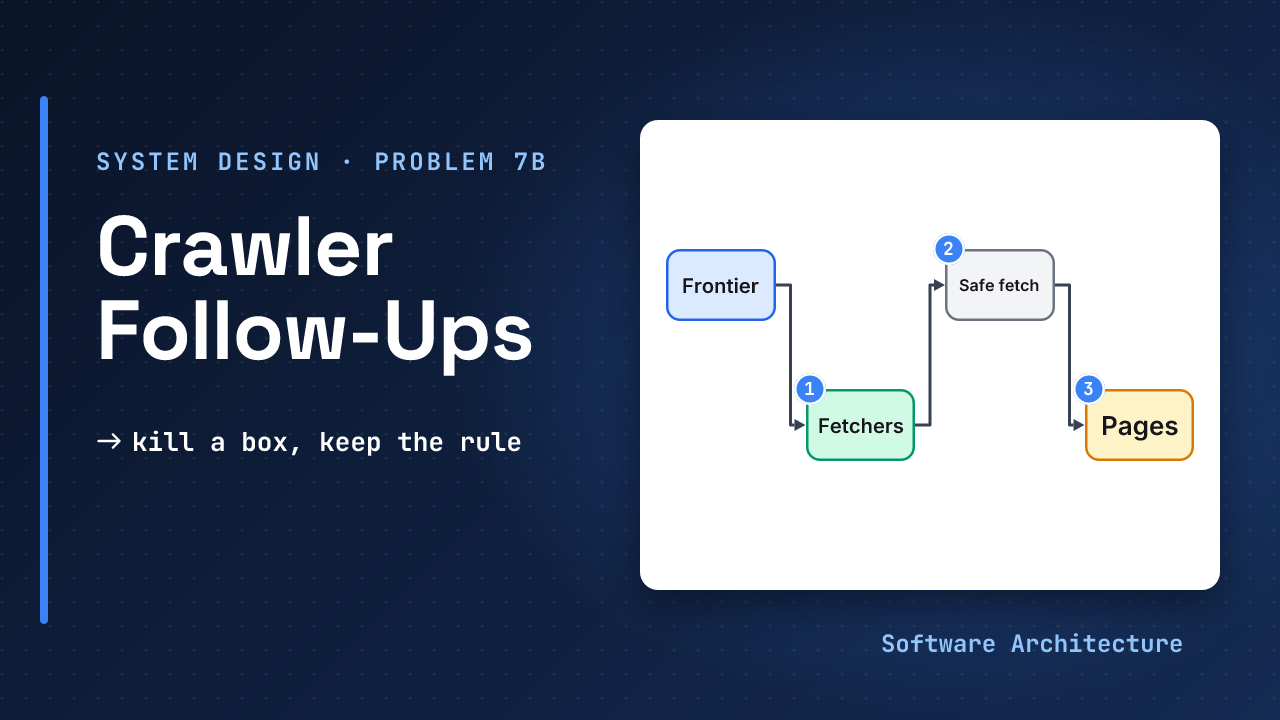
The crawler from the first lesson is running. It keeps one queue per host, remembers seen URLs and leases every fetch. Then the follow-ups arrive. “Kill the frontier machine. What happens?” “A page links to the address your cloud uses for credentials. Do you fetch it?” “Two of your pages differ by one banner ad. Do you store both?”
None of these needs a new component. Each one is a question about what the design already does under stress. Walk the diagram, break one box at a time, and say what the crawler does next.
- Design a web crawler: the frontier with a queue per host, the seen filter, leases and recrawl. This lesson builds on that design and does not repeat it.
- Design a file storage service, because pages are stored once by content hash.
Why does a crawler lease a URL instead of just taking it off the queue? Because a fetcher can die after taking a URL. The lease expires, and the URL goes back to its queue. This lesson asks the same question of every other box.
- Every component can die; the design is good when each death delays work and loses none.
- One rule stays strict under failure: at most one fetcher per host at a time.
- A content hash finds identical pages; a SimHash fingerprint finds near-copies, and likely copies should be marked, not deleted.
- Links are attacker-chosen input, so a crawler must validate every address before it connects.
- Production is measured per host: errors, delay and the age of the oldest ready URL.
Answer the production follow-ups on a web crawler: say what each failure does and why it is survivable, catch near-duplicate pages, keep the crawler from becoming an attack tool, and name what to monitor.
The Design in Four Lines#
The assumptions below are the first lesson’s, restated so this page stands alone. They are assumptions, not measurements.
Assume 1B pages in 30 days
  ≈ 390 pages/s, 100 KB a page
  ≈ 39 MB/s, 100 TB a month
10 new URLs found per page
  -> a 10B-URL seen set
The pieces: a frontier with a queue and a delay per host, fetchers that each own a set of hosts, a seen filter (a Bloom filter) in front of the queues, a lease on every fetched URL, and raw pages stored by content hash.
What Breaks When You Kill a Box?#
Two outcomes are possible when a fetcher’s host assignment is unclear: a host is paused for a few minutes, or two fetchers hit it at once. Which one should the design accept, and which must it never allow?
Walk the diagram and remove one box at a time:
| If this dies | What happens | Why it is survivable |
|---|---|---|
| Fetcher | Its leases expire and the URLs return | Work is at-least-once and storing is idempotent |
| Frontier shard | Its hosts pause | Replay the disk log; a standby copy takes over |
| Seen filter | Lost with the process | Rebuild from URL state; meanwhile a few duplicate fetches, no lost pages |
| DNS resolver | New hosts cannot start | Serve the cached address, fall back to a second resolver |
| Object store | Pages cannot be saved | Pause fetching; dropping pages wastes the host’s budget |
| Link to the frontier | Fetchers cannot renew | They stop when the lease ends, and never extend it themselves |
The table is design judgement, not a sourced fact: it follows from the lease and the saved state, and a real system should test each row.
The trade-off. In a network split the crawl favours availability, because a stale view costs only a few duplicate fetches. One rule favours consistency: at most one fetcher per host at a time. If you cannot tell whether an owner is alive, wait out its lease. A paused host costs minutes; a burst can get the crawler blocked.
Idempotent storage is what makes the first row work. A slow fetcher may finish after its lease expired and another fetcher took the URL, and keying the stored page on its content hash makes the second write harmless.
How Do You Catch Pages That Are Almost the Same?#
A content hash catches byte-identical copies only. Many copies differ in a small part, such as an ad slot or a timestamp, and one changed byte gives a completely different SHA-1 hash. Engineers at Google and Stanford described a fix in Detecting Near-Duplicates for Web Crawling (WWW 2007), built on Charikar’s SimHash:
- Turn the page into weighted features, such as words and phrases.
- Hash each feature to 64 bits. Per bit position, add the feature’s weight if the bit is 1 and subtract it if 0.
- The sign of each total becomes one bit of the fingerprint.
A small edit flips only a few of those bits. Two pages are near-duplicates when their fingerprints differ in at most k bits, counted as the Hamming distance. For 8 billion pages, the paper found 64-bit fingerprints with k = 3 a good choice, with precision and recall both near 0.75. Those fingerprints occupy 64 GB; for the first lesson’s 1 billion pages, 8 GB.
Finding every fingerprint within 3 bits needs a trick. Split the 64 bits into four 16-bit blocks. If at most 3 bits differ, at least one block matches exactly. Keep one table per block, sorted with that block first, and probe each.
A precision near 0.75 means one flag in four is wrong. So the crawler should mark likely copies, for example to rank them lower or skip their links, and not delete them.
Which Crawl Traps Should You Name?#
The first lesson caps depth, URL length and redirect hops. Scrapy documents a depth limit and a URL length limit as stopping conditions. Name the other shapes of trap too:
- Session IDs in URLs, so every visit looks like a new page.
- Endless filter combinations on a shop or search page.
- Redirect loops between two addresses.
- Error pages sent with a 200 status, which look like real content.
The defences are the same: strip session parameters when normalising URLs (judgement), cap URLs per host, cap redirect hops, and watch for URL patterns that explode in count. Content hashing then catches the copies the patterns miss.
When Is a Page Worth a Browser?#
Some pages arrive as an almost empty HTML shell and build their content with JavaScript. A plain fetch sees only the shell. Google describes three phases for such pages: crawling, rendering and indexing. Pages with a 200 status are queued for rendering, and a page “may stay on this queue for a few seconds, but it can take longer than that”.
A headless Chromium then renders it, and Googlebot parses the rendered HTML for links again. The lesson for your design: rendering is a second, queued step, and links that only exist after rendering reach the frontier late.
Build it as a cheap-first path:
- Fetch raw first. Render only when the page looks like a shell (little text, mostly scripts), is a priority page and the render budget has room. The test and the budget are judgement.
- Cap the pool. A browser costs far more CPU and memory than an HTTP fetch (judgement; no primary source with figures was found, so none is given). Playwright says its browser contexts are “fast and cheap to create” and isolated, so one browser process can serve many pages, but the pool size is still your cost dial.
- Set a timeout yourself. Playwright’s navigation timeout defaults to 0, meaning none, so a page that never settles would hold a browser forever.
- Keep the same rules. A rendered page makes its own requests to other hosts. They need the same address checks as any link and count against the per-host delay (judgement).
- Say what you skipped. Flag pages parsed raw because the budget ran out, so a monitor can show how much of the crawl is unrendered.
How Does a Crawler Run Safely?#
- Identify yourself. Send a user agent with a contact address. Sites can also verify bots by signature: in Cloudflare’s Web Bot Auth the crawler signs requests with a key it publishes at a well-known path. The documentation (updated 8 October 2026) says it rests on two IETF drafts, so treat it as emerging.
- Do not become an attack tool. Links are chosen by whoever wrote the page, so a page can point your fetcher at
169.254.169.254or an internal host. OWASP’s SSRF advice is to check the resolved IP against private and metadata ranges, connect only to that validated address, and not follow redirects blindly. - Treat pages as hostile. Cap body size, set timeouts and parse in a sandbox (judgement). Scrapy exposes a maximum response size for the first of these.
- Back off when told to. A 429 status means the client sent too many requests, and RFC 6585 says the response may carry a
Retry-Afterheader. Push that host’s next-fetch time out by at least that long, and slow down on repeated 429s (judgement). Hammering a site that is already complaining is how a crawler gets its address blocked. - Respect opt-outs. robots.txt is the opt-out today. draft-ietf-aipref-attach-05 (August 2026) would let it carry usage preferences and would update RFC 9309 if approved. It is a draft, so do not build on it. Keep a way to purge a host, and ask counsel about copyright and personal data.
What Do You Monitor, and What Does It Cost?#
- Monitor per host. Pages a second; 429, 5xx and timeouts; fetch and DNS p99; the age of the oldest ready URL; freshness lag; duplicate fetches.
- Set an objective. An SLO might be “95% of priority pages refreshed within a day” (assumed). Page a human on a growing oldest-ready age or a jump in 429s.
- Cost. At 100 TB a month, bandwidth and storage dominate, not compute (judgement). The levers are conditional requests, compression, retention and rendering few pages.
- Regions. Run fetchers in a few regions near the sites, with each host owned by one region and snapshots kept in a second. Pages can be fetched again, so losing hours of state is a fair price (judgement).
- Rollout. Canary new fetchers on a few hosts. A parser change is a backfill over stored raw pages. A new normalisation rule means rebuilding the seen set.
Which Follow-Ups Should You Expect?#
| They ask | One-line answer |
|---|---|
| 10x the rate? | ≥ 3,900 active hosts and ≈ 3.1 Gbit/s (assumed load); scale out by host shard |
| 10x the pages? | 100B URLs is ≈ 120 GB of Bloom filter at 1%: shard it |
| One host is huge? | Cap its URLs, prioritise, use conditional requests |
| Many hosts on one IP? | Limit per IP as well as per host (judgement) |
| News changes every minute? | A fast lane: feeds and sitemaps, short intervals, a small set |
| Page needs JavaScript? | Fetch raw first; render only priority empty shells in a capped browser pool with a timeout and the same host limits |
| Exactly once? | No: at-least-once plus idempotent storage |
| How do you test it? | A fake site that is slow, loops and lies (judgement) |
The first row follows from the assumptions: ten times 390 pages a second at one page a second per host needs at least 3,900 hosts at once, and ten times 39 MB a second is 390 MB a second, about 3.1 Gbit/s. The second row is 100 billion URLs × 9.585 bits each ≈ 120 GB, an assumed load.
Answering “what if it fails?” with “add a replica”. Say what the crawler does while the box is down, and which rule (one owner per host) you refuse to bend.
How Do You Spend 45 Minutes?#
| Minutes | Do |
|---|---|
| 0 to 5 | Questions, requirements, out of scope |
| 5 to 10 | Numbers and what they drive; API |
| 10 to 15 | The simple loop and why it fails |
| 15 to 35 | Deep dives: politeness (8), duplicates (6), crashes (6) |
| 35 to 42 | Freshness, failures, safety, monitoring |
| 42 to 45 | The 60-second summary |
Production topics fit the 35 to 42 slot, so the earlier deep dives must stay on time. If the interviewer pulls you into a follow-up early, answer it briefly, then return to the plan.
Try It: Grow the Crawl#
Change one variable. The crawl grows to 20 billion pages, with the same 10 new URLs found per page and the same 1% Bloom filter error rate.
- How big is the SimHash fingerprint table?
- How big is the seen filter?
- A frontier shard dies. What does the crawl do?
Hint
A fingerprint is 64 bits, which is 8 bytes. A 1% Bloom filter needs 9.585 bits per item.
One reasonable answer
20B x 8 B = 160 GB
200B URLs x 9.585 bits
  = 1.92 Tbit ≈ 240 GB
The fingerprints take about 160 GB, and the seen filter about 240 GB, so both are sharded. When a frontier shard dies, its hosts pause, its log is replayed and a standby takes over. Other shards keep fetching, and no host is ever fetched by two owners meanwhile.
Check Yourself#
1.Why is a paused host better than a host fetched by two machines?
A pause costs minutes of one host’s crawl budget. A burst from two machines can overload the site and get the whole crawler blocked, so the one-owner-per-host rule is the one to keep strict.
2.Two pages differ by one banner ad. Why does a content hash not catch them, and what does?
A content hash changes completely when one byte changes. A SimHash fingerprint changes in only a few bits, so two pages whose fingerprints differ in at most 3 bits are flagged as near-duplicates.
3.A page links to an address inside your cloud network. What checks stop the fetch?
Resolve the name, check the IP against private and metadata ranges, connect only to the validated address, and do not follow redirects blindly. The link itself cannot be trusted.
4.Why not render every page in a browser?
A browser costs far more than a plain fetch, and rendering is an extra queued step. Fetch raw first, render only priority pages that look like empty shells while budget remains, cap the pool, set a timeout, and keep the host limits.
5.What would change if the object store were down for an hour?
Pause fetching rather than drop pages, since dropped pages waste the host’s polite budget. Leases expire, so URLs return to their queues and nothing is lost.
Print the failure table, cover the middle column, and say aloud what happens for each box. Then name which single rule you would never relax.
Conclusion#
A crawler is judged in production by how it behaves around its failures, other people’s servers and attacker-chosen links. The design stays small because each risk reuses a part you already have: the lease, the per-host queue, the content hash.
Which follow-up would catch you off guard: a dead shard, a near-copy or an internal address? Tell us in the comments.
- The core design: design a web crawler.
- Why delivery is at-least-once: message delivery guarantees.
- Next: the next lesson in Module 4 is a video streaming service, where big files reach many viewers.